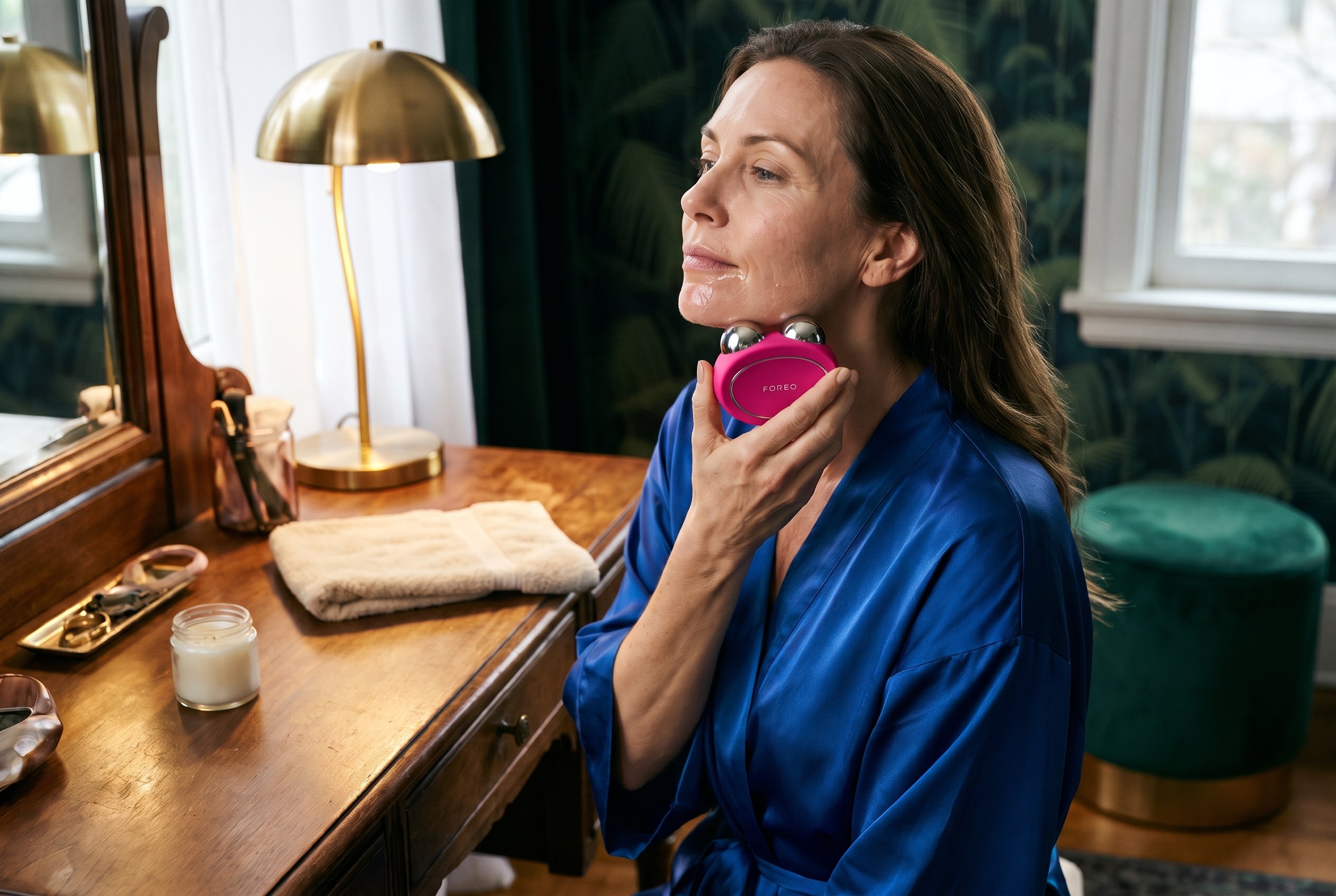
Quick answer: In the FOREO BEAR 2 vs BEAR 2 go decision, the FOREO BEAR 2 is the better buy for most people: it delivers up to 680 microamps of microcurrent, four microcurrent types and ten intensity levels, while the FOREO BEAR 2 go tops out at 550 microamps with two microcurrent types and six levels. The BEAR 2 go makes sense for beginners and travelers who only want a lifting routine. See the FOREO BEAR 2 at Exclusive Beauty Club or see the FOREO BEAR 2 go at Exclusive Beauty Club.
Last updated: November 6, 2026
The FOREO BEAR 2 vs BEAR 2 go choice is not about build quality: both devices come from the same FOREO BEAR 2 family, use the same conductive serum and share the same safety rules. The difference is how much the device can do once the routine becomes a habit. Here’s what the smaller device leaves out, and who should pay for the full version.
Table of Contents
FOREO BEAR 2 vs BEAR 2 go at a glance
Feature
FOREO BEAR 2
FOREO BEAR 2 go
Maximum microcurrent (per FOREO)
Up to 680 uA
Up to 550 uA
Microcurrent types
4: Advanced, Lifting, Tapping, Sculpting
2: Advanced, Lifting
Intensity levels
10 (1 to 5 on the device, 6 to 10 in the app)
6 (1 to 3 on the device, 4 to 6 in the app)
T-Sonic massage patterns
5
5
Anti-Shock System
Yes
Yes
Battery, per FOREO
Up to 300 minutes per charge
Up to 300 minutes on the product page, up to 200 in the manual
Charging
USB, up to 1.5 hours
USB, up to 1.5 hours
Treatment areas
Cheeks, jaw, forehead, neck
Cheeks, jaw, forehead, neck
Eye and lip area
No (FOREO sells BEAR 2 eyes & lips for that)
No
Warranty
2 years
2 years
FOREO BEAR 2 vs BEAR 2 go specs from FOREO’s product pages and online manuals, checked October 29, 2026.
What the BEAR 2 go leaves out
The FOREO BEAR 2 vs BEAR 2 go question comes down to three things the go drops.
Two of the four microcurrent types. FOREO lists Advanced, Lifting, Tapping and Sculpting Microcurrent on the BEAR 2. The BEAR 2 go keeps only Advanced and Lifting, so the tapping and sculpting routines in the FOREO app are not part of it.
Lower top output. FOREO rates the BEAR 2 at up to 680 microamps and the BEAR 2 go at up to 550.
Fewer intensity steps. The BEAR 2 has five levels on the device and five more in the app’s Pro Mode. The BEAR 2 go has three on the device and three more in Pro Mode.
What stays the same matters too. Both use FOREO’s Anti-Shock System 2.0, which FOREO says measures skin moisture and current resistance 200 times per second and adjusts the current. Both have five T-Sonic massage patterns, charge by USB and carry a two-year warranty.
Who should buy the FOREO BEAR 2
The full BEAR 2 is the pick for anyone planning a regular, longer routine. The extra microcurrent types give more variety for the jaw, cheeks and forehead, and the wider range of intensity levels leaves room to move up over time. If the device will live on a vanity and be used most days, the move is to buy the FOREO BEAR 2 once rather than outgrow the go.
The BEAR 2 go suits a first-time microcurrent user who wants a simple lifting routine and a lower entry point, or someone who already owns a full-size device and wants a lighter one for travel. FOREO describes it as compact and lightweight enough to fit easily in luggage. Its device-only range of three levels also keeps a beginner from jumping straight to a high setting.
Whichever side of FOREO BEAR 2 vs BEAR 2 go wins, microcurrent needs a conductive layer between the spheres and the skin. FOREO recommends its SUPERCHARGED Serum 2.0 with both devices, so budget for a refill every so often. FOREO’s manuals also say not to use either device for more than 3 minutes at a time per area.
One detail worth knowing: FOREO’s product pages call both devices “100% waterproof,” but both manuals say the device should be completely dry before the microcurrent function is switched on and not to use it if it has been submerged. Rinse it, dry it, then use it.
Neither device is meant for the eye area. FOREO says the BEAR 2 go spheres are too large for it, and the brand sells a separate BEAR 2 eyes & lips device, rated at up to 270 microamps, for the eye and lip contours.
Safety: check with a doctor first
FOREO’s manuals list the same cautions for both devices, so safety does not change the FOREO BEAR 2 vs BEAR 2 go decision. Check with a doctor before starting a microcurrent device, especially if pregnant or nursing or taking medication. FOREO’s own warnings include:
Do not use with any implanted medical device or other electronic body aid (this includes pacemakers).
Do not use with existing medical conditions such as epilepsy.
FOREO says safety during pregnancy has not been established.
With suspected or diagnosed heart disease, follow the precautions a physician recommends.
Skip it after a recent laser treatment, chemical peel or cosmetic facial surgery.
Microcurrent devices are cosmetic tools. Neither FOREO device treats or diagnoses any condition, and results vary from person to person.
How the BEAR 2 compares with other microcurrent devices
For most buyers, the FOREO BEAR 2 is the one to get: more microcurrent types, a higher top output and ten intensity levels in one device. The FOREO BEAR 2 go is the smart save for a beginner who wants lifting only, or as a travel companion to a full-size device. See the FOREO BEAR 2 or see the FOREO BEAR 2 go at Exclusive Beauty Club.
FOREO BEAR 2 vs BEAR 2 go FAQ
What is the difference between FOREO BEAR 2 and BEAR 2 go?
The FOREO BEAR 2 offers four microcurrent types (Advanced, Lifting, Tapping and Sculpting), up to 680 microamps and ten intensity levels. The BEAR 2 go keeps two types (Advanced and Lifting), tops out at 550 microamps and has six levels. Both share FOREO’s Anti-Shock System 2.0, five T-Sonic massage patterns, USB charging and a two-year warranty.
Is the FOREO BEAR 2 go worth it?
The FOREO BEAR 2 go is worth it for a beginner who wants a simple lifting routine, or for travel alongside a full-size device. Anyone who plans to use microcurrent most days and wants the tapping and sculpting routines will get more from the full FOREO BEAR 2, which has two more microcurrent types and a higher top output.
Do you need gel or serum with the FOREO BEAR 2?
Yes. Microcurrent needs a conductive layer so the current can pass between the spheres and the skin. FOREO recommends its SUPERCHARGED Serum 2.0 with the BEAR 2 and BEAR 2 go. Apply an even layer to the area being treated, and add more if the device stops gliding easily or the current feels uneven.
How long should you use the FOREO BEAR 2?
FOREO’s manuals for both the BEAR 2 and BEAR 2 go say not to use the device for more than 3 minutes at a time on each area. The FOREO app offers video-guided treatments that time each step. Start at a low intensity in Beginner Mode and move up only when the routine feels comfortable.
Can you use the FOREO BEAR 2 around your eyes?
No. FOREO’s manuals say not to use the BEAR 2 or BEAR 2 go on the eye area, and FOREO notes the BEAR 2 go spheres are too large for it. For the eye and lip contours, FOREO sells a separate device, the BEAR 2 eyes & lips, with two small spheres made for those delicate areas.
Who should not use a microcurrent device like the FOREO BEAR 2?
FOREO says not to use its BEAR devices with an implanted medical device such as a pacemaker, or with conditions such as epilepsy, and that safety during pregnancy has not been established. People with heart disease should follow a physician’s precautions. Check with a doctor before starting, especially if pregnant, nursing or taking medication.
Sources
Sources checked on October 29, 2026. Figures from brands are reported as the brand’s own claims.
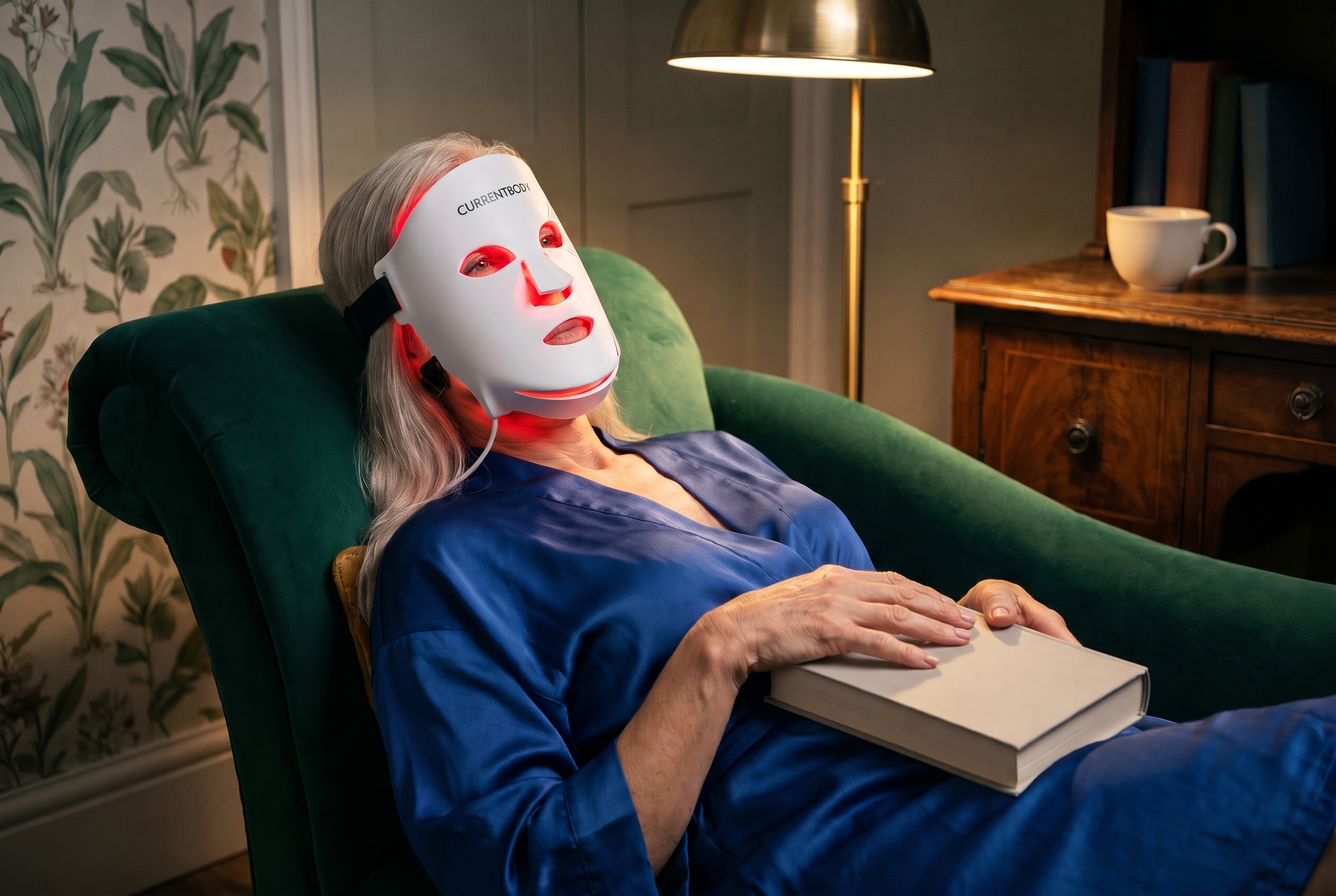
Quick answer: Buy the CurrentBody Series 2 (the CurrentBody Skin LED Red Light Therapy Face Mask: Series 2) if fine lines and firmness are the goal and you want fuller face coverage: it has 236 LEDs, a deep near-infrared 1072nm channel and a published output of 30 mW/cm². Buy the INIA GLOW (INIA GLOW Wireless Red Light Therapy Mask) if budget and a truly cordless mask matter most, since independent testing measured similar output at each LED for far less money.
236 LEDs: 110 red, 110 near-infrared, 16 deep near-infrared
Stated output
Up to 105 mW/cm² (INIA’s claim)
30 mW/cm² (CurrentBody’s figure)
Independent measurement
About 30 mW/cm² at the LED (Light Therapy Insiders)
None found for this post
Power
Magnetic battery on the mask, two controllers, no cable
Clip-on controller with a cable, charges over USB-C
Session
10 minutes
10 minutes, 3 to 5 times a week for 8 weeks
Brand’s own study
INIA cites its own clinical testing
CurrentBody cites independent studies on the Series 2
FDA status
Described by INIA as FDA cleared
Described by CurrentBody as FDA cleared
Best for
Budget, travel, moving around during a session
Lines and firmness with fuller coverage
In this INIA vs CurrentBody table, specs come from each brand’s own product page unless a row names another source. Output figures from brands are the brands’ own claims.
The INIA vs CurrentBody question comes up because INIA markets the GLOW as a budget alternative to the Series 2. On the core red and near-infrared light, the two are closer than the price gap suggests. On coverage and depth, they are not.
Why the CurrentBody Series 2 is the stronger anti-aging mask
Three things separate the two masks for someone buying for fine lines and firmness.
Coverage. CurrentBody lists 236 LEDs on the Series 2, set in a flexible silicone shape with a chin strap for the jawline. INIA’s own page lists 68 light beads on the GLOW. Light Therapy Insiders notes that the INIA GLOW’s LEDs are fairly spread out, so output drops sharply in the gaps between them.
A third wavelength. The Series 2 adds 16 deep near-infrared LEDs at 1072nm, which CurrentBody places under the eyes and around the mouth. The INIA GLOW pairs red with 850nm near-infrared and has no deep near-infrared channel.
Honest numbers. CurrentBody publishes 30 mW/cm² for the Series 2. INIA advertises up to 105 mW/cm² for the GLOW, while Light Therapy Insiders measured roughly 30 at the LED. The same real-world figure is more useful when the brand states it plainly.
For anti-aging, this is where INIA vs CurrentBody tips toward CurrentBody, and the Series 2 is also the simpler of its two masks. CurrentBody Series 3 vs Series 2 explains why the newer model’s extra colors matter mainly for breakouts and redness.
A walkthrough of the INIA GLOW Wireless on the Anna Katherine Page YouTube channel.
No cord at all. INIA’s magnetic controller snaps onto the side of the mask and powers it on. Two controllers come with it, and INIA rates them for up to 90 minutes of cordless runtime, so one can charge while the other is in use.
The right core wavelengths. Light Therapy Insiders measured the main channel at about 630nm red with 850nm near-infrared, which matches what INIA claims.
Cost. The INIA GLOW sells for a small fraction of the Series 2, which is the whole reason it gets compared to masks like it.
Two cautions. The “blue” acne channel measured at about 557 to 560nm in Light Therapy Insiders’ testing, which reads as green, and the amber channel measured at about 607 to 610nm. Treat the extra modes as a bonus, not the reason to buy. The INIA Red Light Therapy Mask review walks through the specs and the FDA paperwork in more detail.
In any INIA vs CurrentBody decision, the deciding question is whether you need the deeper channel and fuller coverage of the Series 2, or whether a lighter, cordless mask is the one you will actually wear three to five times a week.
Buy the CurrentBody Series 2 if fine lines and firmness are the goal, you want light across the whole face including the jawline, and a published, consistent spec sheet matters to you.
Buy the INIA GLOW if you want to try red light therapy without a big spend, you travel, or you know you will only stick with a mask that has no cord.
Look elsewhere if breakouts are the main concern. Neither mask has a measured true blue channel. INIA vs Omnilux Contour compares another mask that publishes its output.
CurrentBody’s own contraindications say not to use its mask if you are pregnant, planning a pregnancy or breastfeeding; if you have lupus, photosensitive eczema, albinism or another light-sensitive condition; if you take medication that can cause light sensitivity, such as certain antibiotics, chemotherapy drugs or diuretics; if light triggers headaches; or if you have an eye condition such as glaucoma or cataracts. The same cautions apply to both sides of INIA vs CurrentBody, and to any LED mask. If any of them apply, or you are unsure about a medication, check with your doctor before starting.
FAQ
Is the INIA GLOW as good as the CurrentBody Series 2?
For red and near-infrared light at the LED, it comes close: Light Therapy Insiders measured the INIA GLOW at roughly 30 mW/cm², the same figure CurrentBody publishes for the Series 2. The Series 2 still wins on coverage, with 236 LEDs against 68 light beads, plus a deep near-infrared 1072nm channel the INIA GLOW does not offer.
Is INIA a good brand?
INIA is a budget brand whose GLOW mask gets the basics right: red at about 630nm and near-infrared at about 850nm, both confirmed by independent spectrometer testing. The weak spot is its marketing. INIA advertises up to 105 mW/cm², while Light Therapy Insiders measured about 30. Buy it for the wireless design and the price, not the headline output number.
Are INIA products FDA approved?
No LED face mask is FDA approved; the right term is FDA cleared. INIA describes the GLOW Wireless as FDA cleared, but the clearance on file is held by the factory that builds it rather than by INIA itself, as the INIA review on this site explains. CurrentBody also describes the Series 2 as FDA cleared.
Is the CurrentBody Series 2 wireless?
Not in the way the INIA GLOW is. The CurrentBody Series 2 runs from a clip-on controller that charges over USB-C, with a cable between the controller and the mask, so you can move around during a session but the controller comes with you. The INIA GLOW snaps a magnetic battery straight onto the mask with no cable at all.
Which mask is better for acne?
Neither is a strong acne pick. The CurrentBody Series 2 has no blue light at all. The INIA GLOW lists a blue acne mode, but Light Therapy Insiders measured that channel at about 557 to 560nm, which is green rather than the 415 to 460nm blue used in acne research. For breakouts, a mask with true blue light is the better move.
How often should you use an LED face mask?
Both brands build their routines around 10 minute sessions. CurrentBody recommends 3 to 5 sessions a week for 8 weeks with the Series 2, and more is not better. Consistency matters far more than frequency, so pick a schedule you can keep, use clean, dry skin, and give it at least several weeks before judging any change in fine lines or firmness.
Sources
Sources checked on October 26, 2026. Figures from brands are reported as the brand’s own claims.
Quick answer: The LightStim Elipsa is worth it for someone who wants a hands-free, FDA-cleared LED panel that treats both wrinkles and mild to moderate inflammatory acne across the whole face, and who will use it 3 to 5 days a week. Anyone who mainly wants a portable, wearable option is better served by an LED face mask or the handheld LightStim for Wrinkles. See the LightStim Elipsa at Revolve.
Last updated: October 30, 2026
This LightStim Elipsa review covers what the device is, what LightStim lists for it, how a session works, and who should pick it over a mask. The Elipsa is the panel LightStim sells to estheticians for the treatment room and to home users, so the real question is whether a professional-style panel makes sense on a nightstand.
Table of Contents
What the LightStim Elipsa is
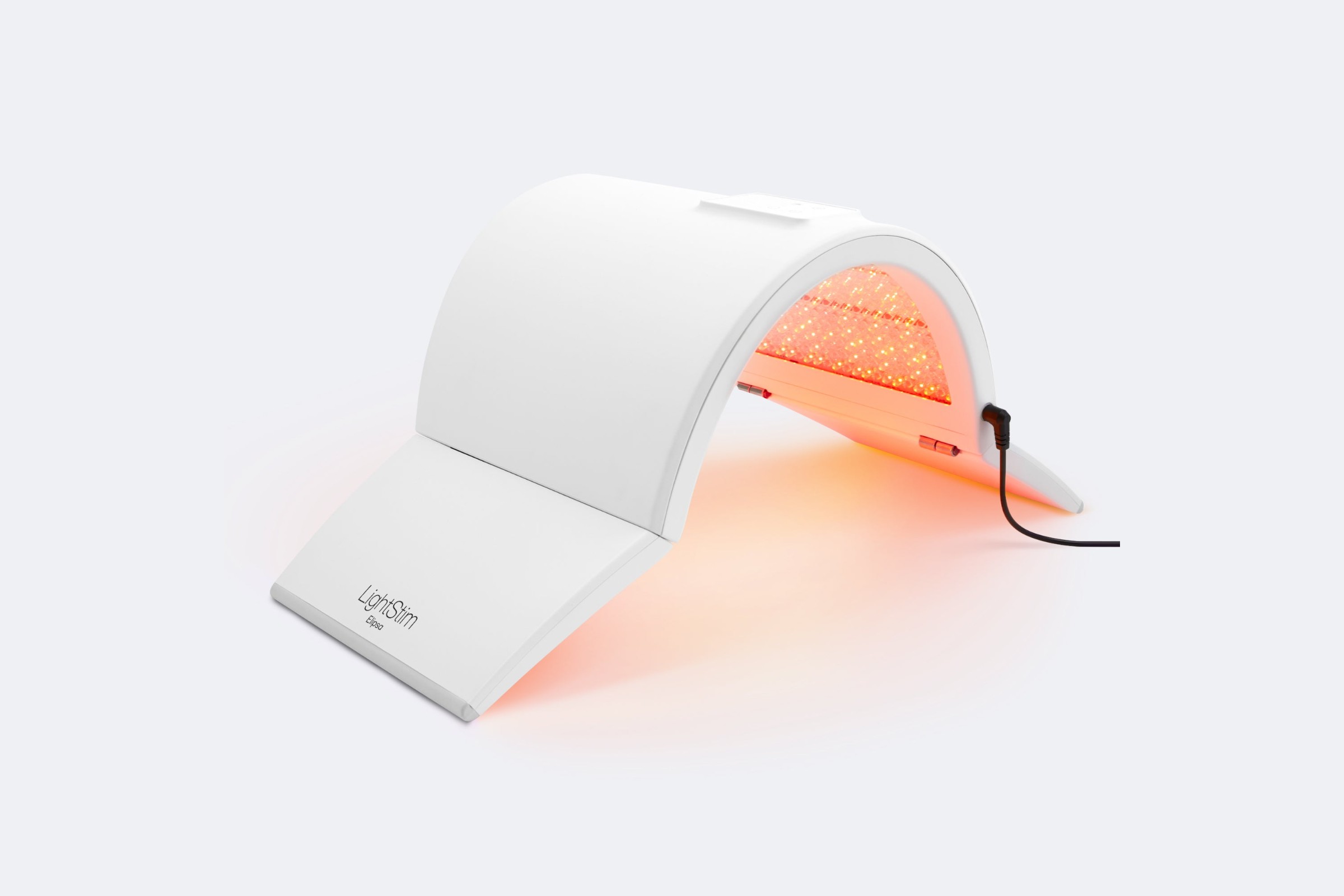
The starting point for any LightStim Elipsa review is the format: the Elipsa is an arched LED panel with adjustable hinged sections. It stands over the face while the user lies back, so nothing is strapped on and nothing touches the skin. LightStim describes it as sleek and lightweight and designed to sit in ultra-close proximity to the skin for even coverage across the face.
Inside the arch are 868 LEDs, which LightStim calls medical-grade. The panel runs two treatment modes, and LightStim says the Elipsa is FDA cleared to reduce wrinkles on the entire face and to treat mild to moderate inflammatory acne.
LightStim Elipsa specs at a glance
Feature
LightStim Elipsa
LightStim for Wrinkles (handheld)
Form
Hinged arched panel that stands over the face
Handheld light held on one area at a time
Hands-free
Yes
No
LEDs
868 (per LightStim)
See LightStim’s product page
Wavelengths
Blue 410nm, amber 612nm, light red 645nm, dark red 655nm, infrared 850nm
See LightStim’s product page
Modes
Wrinkles mode and Acne mode
Wrinkles only (LightStim sells a separate LightStim for Acne)
Session time, per LightStim
16 minutes (Wrinkles), 12 minutes (Acne)
3 minutes per area
How often, per LightStim
3 to 5 days a week
5 to 7 days a week
FDA status, per LightStim
FDA cleared for full-face wrinkles and mild to moderate inflammatory acne
See LightStim’s product page
Power
Corded: 36 or 37.5 volt power supply, 8.5 foot cable, 100 to 240 volt input
See LightStim’s product page
In the box
Case, LightStim SheetMasque, LightStim PhotoSerum, two goggles (large and small), manual
See LightStim’s product page
Specs from LightStim’s Elipsa product page, Elipsa FAQs and LightStim for Wrinkles FAQs, checked October 30, 2026.
Wrinkles mode vs Acne mode
The Elipsa’s two modes use different light. According to LightStim’s Elipsa FAQs:
Wrinkles mode combines amber, light red, dark red and infrared LEDs for full-face fine lines and wrinkles. LightStim’s suggested routine is 16 minutes, 3 to 5 days a week.
Acne mode uses blue and red LEDs for mild to moderate inflammatory acne. LightStim’s suggested routine is 12 minutes, 3 to 5 days a week, on clean, dry skin.
LightStim’s chart on the product page places the five wavelengths from 410nm (blue) to 850nm (infrared). LightStim calls this combination its patented MultiWave technology. For a closer look at how often red light sessions usually need to happen, see how often to use red light therapy for wrinkles.
What LightStim says about results
LightStim’s product page says physicians observed a significant improvement in fine lines and wrinkles in 100% of participants, and visible improvement in mild to moderate inflammatory acne in 100% of participants within 2 to 4 weeks. LightStim’s own FAQ adds an important detail: those clinical studies were performed using LightStim handheld devices, not the Elipsa itself.
For a LightStim Elipsa review, that matters when reading the numbers. The Elipsa uses LightStim’s wavelengths in a larger, hands-free format, but the published figures are the brand’s own claims from studies on its handheld lights. Results vary from person to person, and LED light is a cosmetic routine, not a replacement for a dermatologist’s care.
How a LightStim Elipsa session works
Start with clean skin. LightStim says most anti-aging serums and transparent masks can go on before a Wrinkles session.
For Acne mode, LightStim recommends clean, dry skin, with products applied after the session.
Products that can dry or irritate, such as benzoyl peroxide, Retin-A or harsh acids, go on only after the session, per LightStim.
Put on the included goggles, lie back, and set the panel so it arches over the face.
Run the mode for its full time: 16 minutes for Wrinkles or 12 minutes for Acne.
One practical point in any LightStim Elipsa review: because the Elipsa is corded, the setup works best next to a bed, sofa or chaise near an outlet. LightStim’s power supply adjusts from 100 to 240 volts, though travelers outside the US still need a plug adapter, according to LightStim’s FAQ.
Who should buy the LightStim Elipsa
The takeaway from this LightStim Elipsa review: the Elipsa makes the most sense for a skincare enthusiast who wants a spa-style routine at home and values lying back hands-free for 12 to 16 minutes. It also suits someone dealing with both fine lines and breakouts, since the one device covers both modes. Estheticians who want a single panel for the treatment room are LightStim’s other core buyer.
The other side of a LightStim Elipsa review is who should skip it. An LED face mask is the better fit for anyone who wants to move around during a session, travel with the device, or spend less. A mask straps on, so it can be worn while reading or tidying up, while the Elipsa needs the user lying still under the panel. The handheld LightStim for Wrinkles is another lower-commitment route, used for 3 minutes per area.
Check with a doctor or dermatologist before starting any LED light routine, especially when pregnant or nursing, taking medication that makes skin sensitive to light, or treating persistent or cystic acne. Wear the goggles LightStim includes. The Elipsa is a cosmetic device and is not meant to diagnose or treat any medical condition beyond what its FDA clearance covers.
The verdict: LightStim Elipsa review
The LightStim Elipsa is the pick for a home user who wants a professional-style, hands-free LED panel with five wavelengths and two FDA-cleared modes, wrinkles and mild to moderate inflammatory acne, and who will lie back for 12 to 16 minutes several times a week. For portability or a lower commitment, an LED mask or the LightStim for Wrinkles handheld is the smarter buy.
The LightStim Elipsa is worth it for someone who wants a hands-free LED panel that treats both fine lines and mild to moderate inflammatory acne, and who will use it 3 to 5 days a week. LightStim says it is FDA cleared for both. Anyone who wants to move around during sessions, travel with a device, or spend less is better served by an LED face mask.
Is LightStim medical grade?
LightStim describes the 868 LEDs in the Elipsa as medical-grade and says the device is FDA cleared to reduce wrinkles on the entire face and to treat mild to moderate inflammatory acne. LightStim also sells the Elipsa to estheticians for treatment rooms. FDA clearance covers the specific uses the brand lists, so it is best read as cleared for those cosmetic uses only.
How often should you use the LightStim Elipsa?
LightStim recommends the Elipsa Wrinkles mode for 16 minutes, 3 to 5 days a week, and the Acne mode for 12 minutes, 3 to 5 days a week. The brand says consistency matters most and suggests keeping it in the routine after results show, the same way someone would keep using a serum. Start with the brand’s schedule rather than longer sessions.
Does the LightStim Elipsa work for acne?
LightStim says the Elipsa is FDA cleared to treat mild to moderate inflammatory acne using its Acne mode, which combines blue and red LEDs for 12 minutes per session. LightStim reports visible improvement in its clinical studies within 2 to 4 weeks, but notes those studies used its handheld devices. Persistent or cystic acne calls for a dermatologist first.
Can you use skincare products with the LightStim Elipsa?
Yes. LightStim says there is no need to change a skincare routine, and most anti-aging serums and transparent masks can go on before a Wrinkles session. Products that can cause dryness or irritation, such as benzoyl peroxide, Retin-A or harsh acids, should go on only after a session. For Acne mode, LightStim recommends starting on clean, dry skin.
Is the LightStim Elipsa better than an LED face mask?
The LightStim Elipsa is different rather than simply better. It is a hands-free panel with 868 LEDs, five wavelengths and two modes that stands over the face while the user lies still. An LED mask straps on, so it allows moving around and is easier to travel with. The Elipsa suits a dedicated spa-style routine; a mask suits a busier one.
Sources
Sources checked on October 30, 2026. Figures from brands are reported as the brand’s own claims.
Quick answer: No, you cannot get Ultherapy at home. Ultherapy is a prescription-use microfocused ultrasound system cleared by the FDA to lift the brow and lax skin under the chin and on the neck, and it is performed in a clinic with real-time ultrasound imaging. What you can do at home is slower, gentler firming with radio frequency, microcurrent and LED devices such as the CurrentBody Skin RF, Medicube AGE-R Ultra Tune 40.68 and NuFACE TRINITY+. See the CurrentBody Skin RF.
Last updated: October 30, 2026
Ultherapy vs at-home devices at a glance
Ultherapy (clinic)
At-home RF, microcurrent and LED
How it works
Focused ultrasound energy delivered at set depths, with ultrasound imaging
Surface warmth (RF), low electrical current (microcurrent) or light (LED)
FDA status
Cleared for prescription use to lift the brow and lax submental and neck tissue
Varies by device; check each brand’s page
Who does it
A trained provider
You
Results
Lifting over the months after treatment
Gradual firming and smoother look over weeks of regular use
Downtime
Discomfort during treatment is common
None for most devices
What Ultherapy actually is
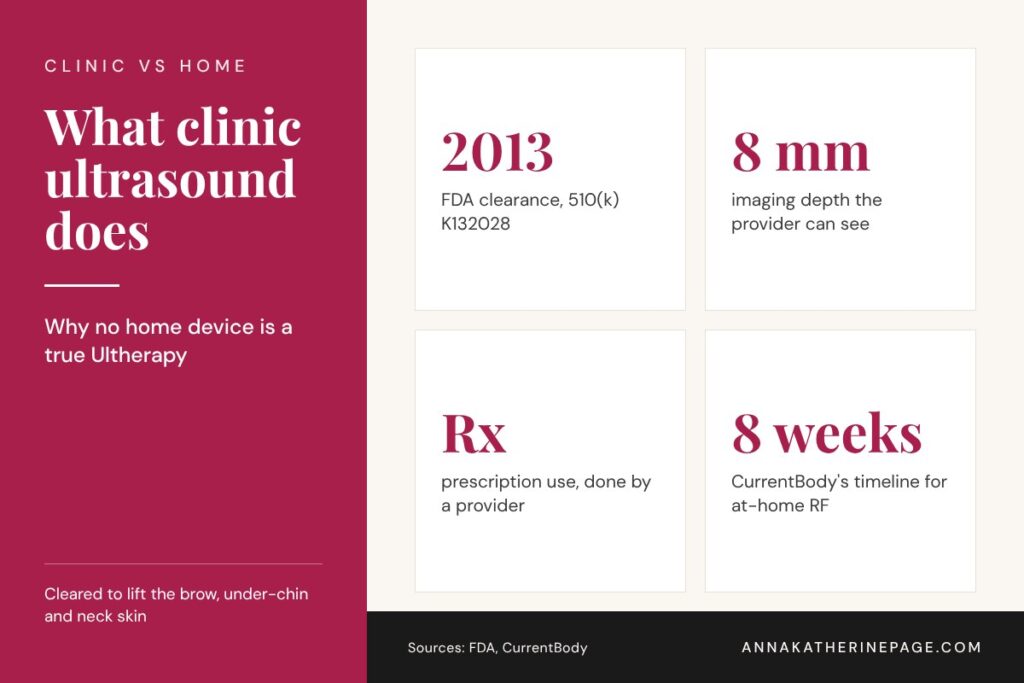
The FDA cleared the Ulthera System in 2013 (510(k) K132028) as a non-invasive dermatological aesthetic treatment to lift the eyebrow and lift lax submental and neck tissue. Its DeepSEE transducer lets the provider see up to 8 mm below the skin to confirm treatment depth and avoid bone, and the clearance is marked for prescription use (FDA 510(k) K132028). That imaging and depth control is the part no consumer gadget reproduces.
Why “at-home HIFU” devices are a bad idea
Devices sold online as at-home HIFU borrow the name without the imaging, the depth control or the training. Clinics warn that improper use can cause burns and nerve injury, and that home units are typically less effective than clinic machines (SL Aesthetic Clinic). The same caution applies to at-home RF microneedling: in October 2025 the FDA said RF microneedling is a medical procedure and these devices should not be used at home (FDA safety communication).
What works instead of Ultherapy at home
Radio frequency: CurrentBody Skin RF
CurrentBody’s RF device runs at 1 MHz and warms skin to about 104°F, pausing automatically at 40 to 41°C. Each area takes 5 minutes, used once a week for 8 weeks, then every 4 to 8 weeks to maintain. It needs CurrentBody’s RF gel every session, and the brand reports 89% saw improved skin tightness in 8 weeks (CurrentBody product page).
Where to buy the CurrentBody Skin RF:CurrentBody. Prices change often, so check today’s price at each.
RF plus microcurrent: Medicube AGE-R Ultra Tune 40.68
A daily option with no gel. The Ultra Tune pairs RF warmth with microcurrent in 5 to 10 minute sessions after skincare has absorbed, and Medicube reports improvement in forehead and neck lines in its own testing (Medicube product page). Compare it with the Booster Pro in Booster Pro vs Ultra Tune.
Where to buy the Medicube AGE-R Ultra Tune 40.68:Amazon | Medicube US. Prices change often, so check today’s price at each.
Microcurrent: NuFACE TRINITY+
FDA-cleared microcurrent in 5-minute sessions, 5 times a week for the first 60 days, then 2 to 3 times a week (NuFACE product page). Microcurrent is about muscle tone and a lifted look, so results fade if you stop.
Where to buy the NuFACE TRINITY+:NuFACE | Ulta | Sephora. Prices change often, so check today’s price at each.
Red light: an LED face mask
Red and near-infrared light support collagen over time and pair well with RF or microcurrent on alternate days. The best LED face masks guide compares the top masks by concern.
Setting realistic expectations for Ultherapy at home alternatives
None of these devices is Ultherapy at home. They are maintenance tools. They work slowly and need a routine you will keep.
Expect weeks, not days. CurrentBody’s own timeline is 8 weeks for its RF device.
If you were hoping for Ultherapy at home to treat marked jowling, neck laxity or a heavy brow, a board-certified dermatologist can tell you whether Ultherapy or another clinic treatment fits.
Skip any device sold as at-home HIFU or at-home RF microneedling.
Frequently asked questions
Is there an at-home version of Ultherapy?
No. Ultherapy is a microfocused ultrasound system cleared by the FDA for prescription use to lift the brow and lax skin under the chin and on the neck. It relies on ultrasound imaging and set treatment depths controlled by a trained provider. Consumer devices sold as at-home HIFU do not have that imaging or depth control and carry burn risks.
Are at-home HIFU devices safe?
They carry real risk. Clinics warn that home HIFU units used incorrectly can cause burns and nerve injury, and that they are usually less effective than clinic machines. They also lack the ultrasound imaging used in Ultherapy to confirm depth. Safer at-home options for firming are radio frequency, microcurrent and LED devices used as directed.
What is the best at-home alternative to Ultherapy?
Radio frequency is the closest at-home approach to skin tightening. The CurrentBody Skin RF warms skin to about 104°F in weekly sessions for 8 weeks, and the Medicube AGE-R Ultra Tune 40.68 combines RF with microcurrent for daily use without gel. Pairing either with an LED mask on other days is a common routine.
How long does at-home RF take to show results?
Expect several weeks. CurrentBody reports that 89% of users saw improved skin tightness after 8 weeks of weekly sessions with its Skin RF device, then recommends maintenance every 4 to 8 weeks. Daily devices like the Medicube Ultra Tune still need consistent use over weeks. Results are subtler than clinic treatments and fade without maintenance.
Can you do RF microneedling at home?
The FDA says no. In an October 2025 safety communication, it described RF microneedling as a medical procedure and said these devices should not be used at home, citing reports of burns, scarring, fat loss, disfigurement and nerve damage. Needle-free at-home RF devices are a different category that warms the skin surface without needles.
Sources
Sources checked on October 25, 2026. Figures from brands are reported as the brand’s own claims.
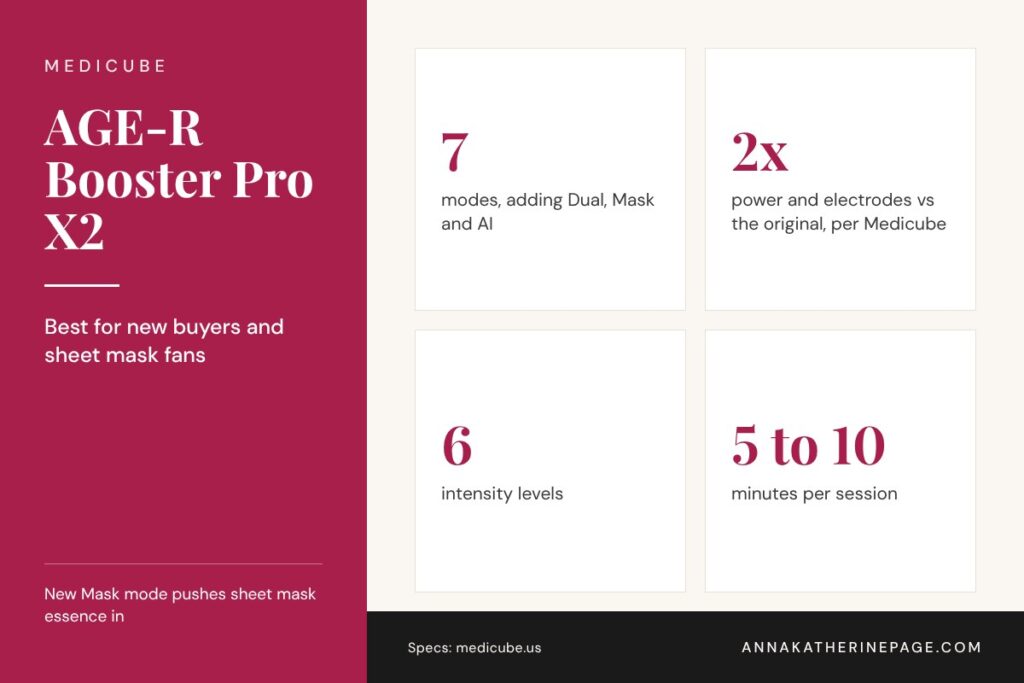
Medicube Booster Pro vs Booster Pro X2, the quick answer: buy the Medicube AGE-R Booster Pro X2 if you are buying new. It keeps the original Medicube AGE-R Booster Pro modes, adds Dual, Mask and AI modes, and Medicube says it doubles power output and electrodes. If you already own the original and use it happily, there is no need to upgrade unless you want sheet mask boosting or two modes at once. See the Booster Pro X2 at Medicube or check the X2 on Amazon.
Last updated: October 29, 2026
Medicube Booster Pro vs Booster Pro X2 at a glance
AGE-R Booster Pro
AGE-R Booster Pro X2
Modes
4: Booster, Air Shot, MC, Derma Shot
7: Booster, Air Shot, MC, Derma Shot, plus Dual, Mask and AI
Power
Original output
2x power output and 2x electrodes vs the Booster Pro, per Medicube (Korea Testing Laboratory)
Dual mode: runs two modes at once, customizable in the app.
Mask mode: used over a sheet mask to push the leftover essence in. Once a day.
AI mode: app-only personalized routines and timing.
More power: 2x power output and 2x electrodes compared with the Booster Pro, based on power density measured by Korea Testing Laboratory.
Upgraded core modes: Booster, Air Shot, Derma Shot and MC are labeled as upgraded.
Medicube’s testing for the X2 reports a 36.1% decrease in the look of forehead lines and a 31.4% decrease in the look of pores, among other figures. These are the brand’s own results, and neither page claims FDA clearance.
What stays the same on the Medicube Booster Pro vs Booster Pro X2
The four core modes work the same way on both: Booster for radiance and absorption, Air Shot for pores and texture, MC for definition around the eyes and mouth, and Derma Shot for overall contour. Both use LED light that only turns on when the head touches skin, both use sonic vibration, and both run 5 to 10 minute sessions with skincare on the skin (Medicube Booster Pro page).
Medicube Booster Pro vs Booster Pro X2: should you upgrade?
Keep your original Booster Pro if
You use Booster and Air Shot most and like the results.
You do not use sheet masks often.
You prefer a device that works without an app.
Choose the Booster Pro X2 if
You are buying your first Medicube device.
You use sheet masks and want Mask mode.
You want more power and the option of two modes at once.
Here’s what to look for if firmness is the real goal: neither Booster Pro is Medicube’s firming device. The Booster Pro vs Ultra Tune comparison explains when the RF-based AGE-R Ultra Tune 40.68 is the better fit.
Where to buy
Where to buy the Medicube AGE-R Booster Pro X2:TikTok Shop | Medicube US | Amazon. Prices change often, so check today’s price at each.
Where to buy the original Medicube AGE-R Booster Pro:Ulta | Medicube US. Prices change often, so check today’s price at each.
Frequently asked questions
What is the difference between the Medicube Booster Pro and Booster Pro X2?
The Booster Pro X2 keeps the four original modes and adds Dual, Mask and AI modes. Medicube says it has twice the power output and twice the electrodes of the original, measured by Korea Testing Laboratory, plus a dual-head design and six intensity levels. Both use LED and sonic vibration and run 5 to 10 minute sessions.
Is the Medicube Booster Pro X2 worth upgrading to?
It is worth it for new buyers and for anyone who uses sheet masks or wants two modes at once. If you already own the original Booster Pro and mainly use Booster and Air Shot, the core modes work the same way, so upgrading is optional. Keep using what you have until it stops fitting your routine.
What does Mask mode do on the Booster Pro X2?
Mask mode is used over a sheet mask to help the leftover essence absorb into the skin. Medicube suggests one Mask mode session per day. It is one of three modes added on the X2, along with Dual mode, which runs two modes together, and AI mode, which builds personalized routines through the AGE-R app.
Do you need the app for the Booster Pro X2?
No for the core modes, yes for some extras. Booster, Air Shot, MC, Derma Shot and Mask run from the device. AI mode works only through the AGE-R app, and Medicube recommends the app to customize Dual mode and unlock the advanced features. The original Booster Pro works fine without any app at all.
How long should a Booster Pro X2 session take?
Medicube says most treatments take about 5 to 10 minutes. Booster, MC and Derma Shot can be used 1 to 3 times a day, Air Shot 2 to 3 times a week, and Mask mode once a day with a sheet mask. AI mode sets its own timing. Start on a low level and build up gradually.
Sources
Sources checked on October 25, 2026. Figures from brands are reported as the brand’s own claims.
Quick answer: In the NuFACE TRINITY+ vs TRINITY+ PRO decision, the NuFACE TRINITY+ is the better pick for most people starting microcurrent at home, because it is the version NuFACE builds and sells for home use, with three frequencies, three intensities, a Boost Button and NuFACE’s own 60-day return window. The NuFACE TRINITY+ PRO is worth it for experienced microcurrent users and aestheticians who want the higher output of NuFACE’s professional line. See the NuFACE TRINITY+ Starter Kit at NuFACE or see the NuFACE TRINITY+ PRO Starter Kit at Exclusive Beauty Club.
Last updated: October 28, 2026
NuFACE TRINITY+ vs TRINITY+ PRO: the short answer
Best for most homes
NuFACE TRINITY+
NuFACE’s flagship home device. Three frequencies, three intensities, Boost Button, add-on attachments, and a 60-day return window when bought from NuFACE.
The professional-line version with higher microcurrent output, a water-resistant shell and magnetic attachments. Built for aestheticians, also sold as a home kit.
Home use. NuFACE calls it its flagship microcurrent device
Aestheticians and professional partners, also sold as a home kit
Microcurrent output
NuFACE home level
Higher than the home devices, per NuFACE. Listed at up to 500 microamps with Boost by Exclusive Beauty Club
Settings
Three frequencies and three intensities
Targeted device settings, per the retailer listing
Boost Button
Yes, up to 25% more power
Yes, 25% more microcurrent
Attachments
Effective Lip & Eye and LED Wrinkle Reducer, sold separately
Magnetic Effective Lip & Eye and Wrinkle Reducer, sold separately. Older Trinity attachments do not fit
In the starter kit
Device, Aqua Gel Activator 1.69 oz, Silk Crème Activator 0.5 oz, Clean Sweep Applicator Brush, USB-C charging cable
Device, Aqua Gel Activator 1.69 oz, Silk Creme Activator 0.5 oz, Clean Sweep Applicator Brush, power adaptor, user manual and quick start guide
Charging
USB-C charging cable in the kit
Wireless charging, per the retailer listing
Water resistance
Not listed on the starter kit page
Water-resistant shell, per NuFACE
Where it is sold
NuFACE and beauty retailers
NuFACE professional partners and select retailers
Warranty
2 years, per NuFACE
2 years, per NuFACE
Returns from the brand
60 days when bought from NuFACE
Depends on the seller
NuFACE TRINITY+ vs TRINITY+ PRO specs from NuFACE’s product page and blog, and the Exclusive Beauty Club listing for the TRINITY+ PRO Starter Kit, checked October 28, 2026.
The short version of the NuFACE TRINITY+ vs TRINITY+ PRO question: both are the same shape, both use what NuFACE describes as FDA-cleared microcurrent, and both have the Boost Button. The PRO turns the power up and is aimed at treatment rooms. At the retailers checked for this guide, the two starter kits were close in cost, so price should not be what decides it.
What the NuFACE TRINITY+ PRO adds
According to NuFACE’s own explainer on its PRO devices, PRO devices carry the same FDA-cleared technology as the home devices but “a higher microcurrent output for use by professionals.” NuFACE built the TRINITY+ PRO for spas, resorts and aesthetician offices, then offers take-home kits so clients can keep up between appointments.
More output. NuFACE says the PRO line runs at a higher level of microamps. The Exclusive Beauty Club listing puts the TRINITY+ PRO at up to 500 microamps with Boost.
A water-resistant shell. NuFACE added it because treatment rooms are humid and spills happen.
Magnetic attachments. They swap quickly between clients. Older Trinity attachments are not compatible, per the retailer listing.
Wireless charging, per the retailer listing.
What it does not add: a different shape, a different routine, or a different activator. You still glide and hold the two spheres over a layer of gel, the same way you would with the TRINITY+. That is the real story of NuFACE TRINITY+ vs TRINITY+ PRO: the same routine, with more power on the PRO side.
Why the NuFACE TRINITY+ is the better home pick for most people
The TRINITY+ Starter Kit page describes three frequencies and three intensities, plus a Boost Button that NuFACE says adds up to 25% more power on the days you want it. That is a lot of room to start low and build up, which is what a first-time microcurrent user needs.
Bought direct, it comes with NuFACE’s 60-day return window and a 2-year warranty, both listed on the product page.
It is the device NuFACE builds its home guidance around, including the attachments and the routine of five uses a week for eight weeks, then two to three a week.
It is easy to find. NuFACE says PRO devices are sold through its professional partners, so the PRO takes a little more care to buy from an authorized seller.
The same two-sphere Facial Trainer shape for glides and holds across the cheeks, jawline and forehead.
A Boost Button that NuFACE says adds 25% more microcurrent to target areas.
Aqua Gel Activator and Silk Crème Activator in the starter kit, plus the Clean Sweep Applicator Brush.
Compatibility with the newer magnetic Effective Lip & Eye and Wrinkle Reducer attachments. NuFACE says the Wrinkle Reducer uses 34 red, amber and infrared lights.
A 2-year warranty, per NuFACE.
Who should buy the NuFACE TRINITY+
Anyone new to microcurrent who wants room to start gently.
Buyers who want to purchase direct from NuFACE with its return window.
Anyone who plans to add the Effective Lip & Eye or LED Wrinkle Reducer attachment later.
Who should buy the NuFACE TRINITY+ PRO
Experienced microcurrent users who already use a TRINITY+ on its higher settings and want more output.
Clients who get professional NuFACE treatments and want the same PRO device at home between visits, which is how NuFACE frames its take-home kits.
Aestheticians who want one device for clients and for personal use.
NuFACE gives the same basic routine for both sides of the NuFACE TRINITY+ vs TRINITY+ PRO choice, and the steps below follow its product page and device guide.
Start with clean, dry skin. NuFACE suggests an oil-free cleanser, since makeup and oil get in the way of the current.
Apply a mask-like layer of Aqua Gel Activator to the area you are treating. Microcurrent needs a conductive layer to work.
Power on the device and glide and hold the spheres across the cheeks, jawline and forehead.
Use the Boost Button on areas you want to focus on, such as the jawline or neck.
Follow NuFACE’s schedule: five times a week for the first eight weeks, then two to three times a week to maintain.
a cardiac pacemaker or any implanted electronic device
an active seizure disorder or epilepsy
thrombosis or a blood clotting disorder
cancer in the treatment area or active chemotherapy
open wounds, active skin infections or broken skin in the treatment area
NuFACE advises caution and a talk with your healthcare provider if you are pregnant or breastfeeding, or have a history of heart conditions, Bell’s palsy, recent facial surgery or metal implants in the face or head. It also recommends waiting two weeks after Botox or filler before using a device.
These rules apply to both sides of the NuFACE TRINITY+ vs TRINITY+ PRO choice, and the PRO’s higher output is one more reason to ask. Check with your doctor or dermatologist before starting either device if any of this applies to you.
More NuFACE comparisons
If the NuFACE TRINITY+ vs TRINITY+ PRO question has you weighing other brands too, these comparisons cover the closest alternatives.
For a first microcurrent device at home, the NuFACE TRINITY+ vs TRINITY+ PRO answer is the NuFACE TRINITY+. It has the settings range to start gently, the attachments to grow into, and the simplest buying path with NuFACE’s return window. Pick the NuFACE TRINITY+ PRO if you already know you like microcurrent, want the higher output NuFACE reserves for its professional line, and are buying from an authorized seller. Either way, consistency matters more than the model: NuFACE says results build with regular use.
What is the difference between NuFACE TRINITY+ and TRINITY+ PRO?
NuFACE says its PRO devices use the same FDA-cleared microcurrent technology as its home devices, but with a higher microcurrent output built for aestheticians in spas and offices. The TRINITY+ is the version NuFACE sells for home use, with three frequencies and three intensities. Both have a Boost Button for 25% more microcurrent. Exclusive Beauty Club lists the TRINITY+ PRO at up to 500 microamps with Boost.
Can you buy the NuFACE TRINITY+ PRO for home use?
Yes. NuFACE says its PRO devices can be bought for at-home use to maintain results between professional treatments, and it recommends PRO treatments for adults over 18. NuFACE also says PRO devices are sold through its professional partners, such as spas, salons and medical offices. Retailers including Exclusive Beauty Club list the TRINITY+ PRO Starter Kit online, so check the seller is authorized.
Which NuFACE device is the best?
It depends on the goal. NuFACE positions the TRINITY+ as its flagship full-face device, with three frequencies, three intensities and add-on attachments. The MINI+ is its smaller, simpler option with three intensities, and the FIX MicroWand works on eyes, lips and fine lines at the skin’s surface. The TRINITY+ PRO suits experienced users who want professional-line output at home.
What are the downsides of using NuFACE?
The biggest one is time. NuFACE recommends using the TRINITY+ five times a week for the first eight weeks, then two to three times a week, and says results build with consistent use. Every session needs a conductive activator, which is an ongoing purchase. Some people should not use microcurrent at all, including anyone with a pacemaker or another implanted electronic device.
Does NuFACE really work on jowls?
NuFACE says the TRINITY+ is designed to improve the appearance of sagging along the jawline and to tone the muscles of the face and neck. In NuFACE’s own consumer questionnaire, 91% of users said they saw improved cheek contour 15 minutes after a treatment. That is the brand’s own survey, not an independent clinical study, so treat it as a brand claim rather than a promise.
Do old Trinity attachments work with the TRINITY+ PRO?
No. The Exclusive Beauty Club listing for the TRINITY+ PRO Starter Kit states that legacy Trinity attachments are not compatible with the TRINITY+ PRO device. It lists the redesigned magnetic Effective Lip and Eye and Wrinkle Reducer attachments as sold separately. If you own attachments from an older Trinity, plan on buying the newer magnetic versions to use with the PRO.
Sources
Sources checked on October 28, 2026. Figures from brands are reported as the brand’s own claims.
Quick answer: In the Medicube Booster Pro vs Ultra Tune decision, the Medicube AGE-R Booster Pro and the Medicube AGE-R Ultra Tune 40.68 do different jobs. The Booster Pro is the pick for pores, rough texture and getting more out of your serums, with four modes plus LED and sonic vibration. The Ultra Tune is the pick for firmness and lines, pairing radio frequency warmth with microcurrent. If you can only buy one, choose by your main concern, not by which is newer. See the Medicube AGE-R Booster Pro or see the AGE-R Ultra Tune 40.68 at Medicube.
Last updated: October 25, 2026
Medicube Booster Pro vs Ultra Tune at a glance
AGE-R Booster Pro
AGE-R Ultra Tune 40.68
Main job
Absorption, pores and texture
Firmness and the look of lines
Technology
Four modes (Booster, Air Shot, MC, Derma Shot) plus LED light and sonic vibration
Radio frequency (RF) plus microcurrent (MC), which Medicube calls Dual Tune-Wave
Session
5 to 10 minutes
5 to 10 minutes
How often
Booster, MC and Derma Shot 1 to 3 times a day; Air Shot 2 to 3 times a week
1 to 3 times a day
Used with
Your serum or skincare on the skin
After skincare has fully absorbed, no special gel
Eye area
Level 1 only around eyes, nose and mouth
Level 1 only; avoid eyelids and directly under the eyes
App
Works without it
AGE-R app controls modes, steps, vibration and LED color
In the box
Device, manual, USB cable
Device, manual, USB-C cable
What the Medicube AGE-R Booster Pro does
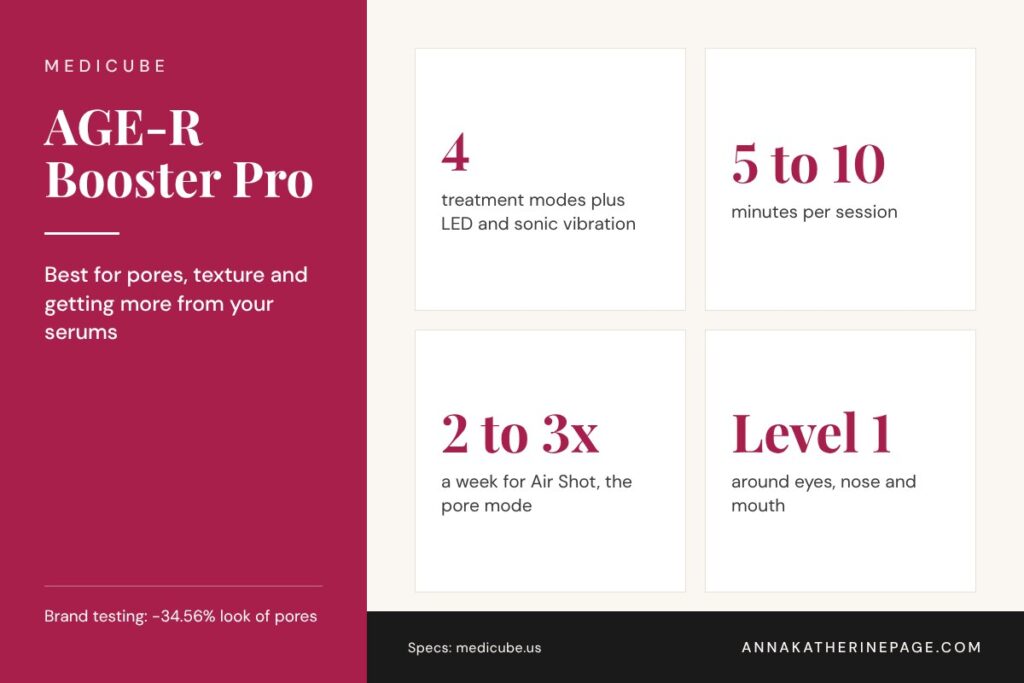
Medicube sells the Booster Pro as a 6-in-1 device: four treatment modes plus LED light and sonic vibration, with a surgical steel head. The modes split the work like this, according to Medicube’s product page:
Booster: supports radiance and helps your skincare absorb. This is the everyday mode.
Air Shot: aimed at the look of pores and uneven texture, used 2 to 3 times a week for 5 minutes on the T-zone and U-zone.
MC (microcurrent): for a plumper, more defined look around the eyes and mouth.
Derma Shot: for facial definition and overall balance.
Medicube reports a plumper look (+70.4%) and smaller-looking pores (-34.56%) in testing by the Global Institute of Dermatological Sciences. Those are the brand’s own figures, and the product page makes no FDA claim. Here’s what to look for in practice: the Booster Pro shines when it is paired with a serum you already like, because the whole point of the Booster and Air Shot modes is texture and absorption.
What the Medicube AGE-R Ultra Tune 40.68 does
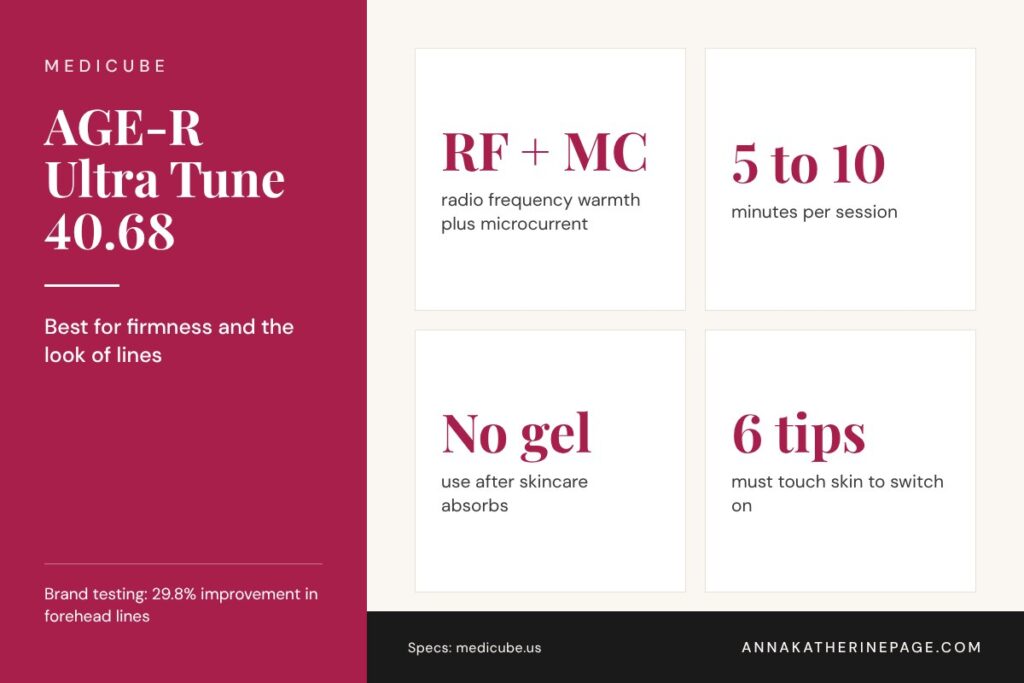
The Ultra Tune is Medicube’s firming device. It pairs radio frequency, described as gentle warming energy for elasticity, with microcurrent for contour and volume around the eyes, smile lines and mouth. It only switches on when all six tips are touching skin, and Medicube says to use it after your skincare has fully absorbed, with no gel needed (Medicube product page).
Medicube’s human application test reports improvement in forehead lines (29.8%), neck lines (13.0%) and frown lines (10.0%). Again, those are brand-reported numbers, and the page does not mention FDA clearance. The move with RF is consistency: firming results build over weeks of regular sessions, not after one use.
Medicube Booster Pro vs Ultra Tune: which one should you buy?
Choose the AGE-R Booster Pro if
Pores, blackheads, rough texture or dullness are your main complaint.
You already own serums and want them to feel like they are doing more.
You want one device for daily use with skincare on the skin.
Choose the AGE-R Ultra Tune 40.68 if
Firmness, forehead lines or neck lines are your main complaint.
You want RF warmth without buying a gel every month.
You like app-guided routines and tracking.
Using both
What works here is splitting them by step: the Booster Pro with your serum on the skin, then the Ultra Tune once your skincare has fully absorbed, since that is how Medicube says to use it. Start at level 1 on both, keep them away from the eyelids, and give each at least a few weeks before judging. If you are deciding between the Booster Pro and a NuFACE instead, the Medicube Booster Pro vs NuFACE comparison covers that matchup.
Which Medicube offer are you actually comparing?
The original Booster Pro, Booster Pro X2 and Ultra Tune 40.68 should not be treated as the same device. Decide which model you intend to buy before comparing seller prices. A lower quote on the original Booster Pro is not automatically an offer on X2. Ulta lists those models separately (Medicube at Ulta).
These public prices were checked on November 12, 2026. Your selected cart still determines what you pay.
The original Booster Pro listing is described as a multi-mode device. The Ultra Tune listing identifies RF and microcurrent technology. Those product descriptions do not establish that the devices are interchangeable or that the more expensive option is better for every shopper. This section compares buying options, not treatment outcomes.
A useful price difference, with limits
The two original Booster Pro quotes differ by $76 before any shipping, tax or other purchase differences. That is a seller-price comparison, not a 33%-off claim against a verified historical normal price. Match the same color, model and included package before declaring one the better complete purchase.
The direct pages also showed mixed availability text, so they are not confirmed in-stock alternatives. The Ulta page’s $220 reference is a retailer-displayed reference, not proof of a historical average.
Does another coupon reduce the $154 price?
No additional coupon is included here. The Ulta page still displayed GIFTS terms that expired November 8. An old banner is not evidence that a code remains usable.
Before checkout, read the exact device instructions and the seller’s current return terms. Keep optional skincare subscriptions separate from a device-only price. Do not buy a different model merely because a similarly named offer appears cheaper. The where-to-buy links below go to each seller, or check the original Booster Pro, item 2645355, at Ulta.
Where to buy the Medicube Booster Pro and Ultra Tune
Where to buy the Medicube AGE-R Booster Pro:Ulta | Medicube US. Prices change often, so check today’s price at each.
Where to buy the Medicube AGE-R Ultra Tune 40.68:Amazon | Medicube US. Prices change often, so check today’s price at each.
What is the difference between the Medicube Booster Pro and the Ultra Tune?
The Booster Pro focuses on absorption, pores and texture, using four modes plus LED light and sonic vibration with skincare on the skin. The Ultra Tune 40.68 focuses on firmness and lines, combining radio frequency warmth with microcurrent, and is used after skincare has fully absorbed. Both run 5 to 10 minute sessions, so the choice comes down to your main skin concern.
Can you use the Medicube Booster Pro and Ultra Tune together?
Yes, many routines use both on different steps. Use the Booster Pro with a serum on the skin first, let your skincare absorb fully, then use the Ultra Tune, which Medicube says to use after products have soaked in. Start both at level 1, avoid the eyelids, and watch for irritation before increasing intensity or frequency.
Does the Medicube Ultra Tune need gel?
No. Medicube says the AGE-R Ultra Tune 40.68 needs no special gel. It is meant to be used after your normal skincare has fully absorbed, and it activates only when all six tips touch the skin. That makes it simpler to run daily than RF devices that require a conductive gel every session, such as the CurrentBody Skin RF.
How often should you use the Medicube Booster Pro?
Medicube recommends the Booster, MC and Derma Shot modes 1 to 3 times a day for 5 to 10 minutes. Air Shot, the pore and texture mode, is meant for 2 to 3 times a week for about 5 minutes. Use level 1 around the eyes, nose and mouth, and skip it over irritated or broken skin.
Is the Medicube Booster Pro FDA cleared?
Medicube’s US product page for the AGE-R Booster Pro does not state FDA clearance. Its results claims come from the brand’s own testing with the Global Institute of Dermatological Sciences. If FDA clearance matters to you, check the listing at the retailer you buy from and ask the seller, since claims can differ by region and version.
Sources
Sources checked on October 25, 2026. Figures from brands are reported as the brand’s own claims.
Quick answer: For most buyers, the CurrentBody LED Neck & Décolletage Mask: Series 2 is the CurrentBody neck mask to get: red, near-infrared and deep near-infrared light cover the main goal, softer-looking neck and chest lines. Choose the Series 3 if you also want to treat breakouts, redness or uneven tone on the chest, with six wavelengths and app control. See the Series 2 neck mask or see the Series 3 neck mask.
Last updated: October 27, 2026
CurrentBody neck mask: the short answer
Best for neck lines
Neck Mask: Series 2
Red 633nm, near-infrared 830nm, deep near-infrared 1072nm
The neck and chest show lines early, and most face masks stop at the jaw. A CurrentBody neck mask is a separate, strap-on LED panel shaped for the full neck and upper chest. CurrentBody sells two generations, and the right one depends on whether you only want anti-aging light or the full range. If you are choosing a face mask too, the CurrentBody Series 3 vs Series 2 comparison uses the same logic.
Key facts at a glance
6 vs 3
Wavelengths: Series 3 vs Series 2
10 min
Per session, 3 to 5 times a week
37%
Series 3 neck and chest wrinkle reduction, per CurrentBody
Hands-free
Strap-on design on both
CurrentBody neck mask Series 3 vs Series 2 at a glance
Feature
Neck Mask: Series 2
Neck Mask: Series 3
Wavelengths
3: red 633nm, near-infrared 830nm, deep near-infrared 1072nm
6: the same three plus blue 415nm, green 532nm, yellow 590nm
LEDs
229
750 LED bulbs listed on the product page
Modes
No preset modes listed
4 presets plus custom treatments with MyDose
App
None listed
CurrentBody app
Session
10 minutes, 3 to 5 times a week
10 minutes, 3 to 5 times a week
Brand results
30% fewer neck wrinkles, 57% plumper skin at 8 weeks
37% fewer neck and chest wrinkles, 57% plumper skin at 8 weeks
Specs from the CurrentBody Series 2 and Series 3 LED Neck & Décolletage Mask product pages, checked October 27, 2026.
What the Series 3 neck mask adds
The Series 3 keeps the three anti-aging wavelengths and adds three more. CurrentBody describes blue at 415nm for spots and irritation, green at 532nm for the look of pigmentation, and yellow at 590nm for redness. You can run one of four preset modes or build your own treatment with MyDose, which CurrentBody says calculates the dose for the wavelengths you choose.
If your neck and chest only need help with lines and crepey texture, the extra colors add cost without adding much. If you deal with chest breakouts, sun spots or redness as well, the Series 3 covers more ground in one device.
Wavelengths included (count)
Series 3 neck mask: 6 wavelengths
Series 2 neck mask: 3 wavelengths
Source: CurrentBody product pages. Both include red 633nm, near-infrared 830nm and deep near-infrared 1072nm.
How a neck mask session works
1
Start with clean, dry skin on the neck and chest
2
Pick a strap length and attach it to the mask
3
Secure it around your neck and switch it on
4
Relax for the hands-free 10 minutes, then wipe it clean
Which CurrentBody neck mask should you buy?
Pick this if
Neck Mask: Series 2
✓ Neck lines and crepey chest skin are the main goal
The CurrentBody LED Neck & Décolletage Mask: Series 2 is the smart pick for most readers, because the three anti-aging wavelengths do the job most people buy a neck mask for. Step up to the Series 3 if your chest has more going on than lines. For the full face, the best LED face masks guide and how often to use red light therapy for wrinkles cover the rest of the routine.
FAQ
Does the CurrentBody neck mask work?
CurrentBody reports that the LED Neck & Décolletage Mask: Series 3 reduced neck and chest wrinkles by 37% and improved plumpness by 57% in 8 weeks, and that the Series 2 reduced neck wrinkles by 30% with the same plumpness figure. These are the brand’s own clinical claims. Results depend on regular use, 10 minutes, 3 to 5 times a week, for at least several weeks.
What is the difference between the CurrentBody neck mask Series 3 and Series 2?
The Series 2 uses 229 LEDs and three wavelengths: red at 633nm, near-infrared at 830nm and deep near-infrared at 1072nm. The Series 3 adds blue, green and yellow light for six wavelengths, four preset modes and MyDose control in the CurrentBody app, so it can also target breakouts, redness and uneven tone on the neck and chest.
How long should you use the CurrentBody neck mask?
CurrentBody recommends 10-minute sessions, 3 to 5 times a week, for both the Series 2 and Series 3 neck masks, and calls 10 minutes the optimal session length. The mask straps on, so the treatment is hands-free. CurrentBody says Series 2 users can expect results in about 4 weeks of consistent use, with its headline figures measured at 8 weeks.
Can you use a face LED mask on your neck?
A face mask is shaped for the face, so it leaves most of the neck and chest untreated. That is why CurrentBody sells a separate LED Neck & Décolletage Mask with a large silicone shape that covers the full neck and upper chest, plus Face & Neck Kits that pair it with the matching face mask. A neck mask is the cleaner way to treat that area.
Is the CurrentBody neck mask FDA cleared?
CurrentBody describes the Series 2 neck mask’s red and near-infrared light as FDA cleared on its product page. The Series 3 neck mask page highlights clinical testing and its Veritace quality guarantee; check CurrentBody directly if FDA status matters to your decision. FDA clearance relates to safety for the stated use, not to the size of results.
What comes with the CurrentBody neck mask?
Both the Series 2 and Series 3 LED Neck & Décolletage Masks ship with the mask, two multi-straps, a USB-C charging cord, a storage bag, a user manual and an NFC card, according to CurrentBody. CurrentBody also sells each one in a kit with its Hydrogel Décolletage Masks and in a Face & Neck Kit with the matching face mask.
Sources
Sources checked on October 27, 2026. Figures from brands are reported as the brand’s own claims.
Quick answer: The NIRA laser is worth it for a patient buyer who wants softer-looking lines around the eyes and will treat daily for 60 to 90 days. Pick the NIRA Precision Laser for crow’s feet, under-eyes, hooded lids and lip lines; pick the NIRA Pro 3 Laser to cover the full face, neck, chest and hands with more comfort levels. See the NIRA Precision Laser or see the NIRA Pro 3 Laser.
Last updated: October 27, 2026
Is the NIRA laser worth it? The short answer
Best for eyes and lips
NIRA Precision Laser
Small tip for crow’s feet, under-eyes, hooded lids
NIRA makes at-home lasers that warm the skin at 1450nm, which NIRA describes as the point of peak absorption in the dermis, to support the body’s own collagen. That makes the question of whether the NIRA laser is worth it a question about patience: this is a slow, steady device, not an instant-lift one. If instant lift is the goal, see how microcurrent compares in Medicube Booster Pro vs NuFACE.
Key facts at a glance
1450nm
Laser wavelength on both NIRA models
60 to 90 days
NIRA’s timeline for visible to full results
90 days
Money-back guarantee, per NIRA
2 years
Limited warranty
NIRA Precision vs NIRA Pro 3 at a glance
Feature
NIRA Precision Laser
NIRA Pro 3 Laser
Laser
1450nm non-fractional
1450nm non-fractional
Tip
Small precision tip
Larger treatment tip
Best areas, per NIRA
Eyes, lips, nose area, hooded lids
Face, neck, chest and hands
Settings
5 power settings
9 comfort levels
How it fires
Press the button for each spot
Fires automatically on contact
Extras
Portable design
Silent vibration mode, iOS app skin analysis, 75% more battery than before per NIRA
Routine
Up to twice daily
Up to twice daily, about 2 minutes a day per NIRA
In the box
Laser, USB-C cable, instructions
Laser, USB-C cable, instructions
FDA status
Described by NIRA as FDA-cleared
Described by NIRA as FDA-cleared for wrinkles around the eyes
Guarantee
90-day money-back, 2-year limited warranty
90-day money-back, 2-year limited warranty
Specs from the NIRA Precision Laser and NIRA Pro 3 Laser product pages, checked October 27, 2026.
How the NIRA laser works
According to NIRA, most at-home devices work at the skin’s surface, while its patented non-fractional laser heats the dermis, where wrinkles form, to prompt new collagen. NIRA compares it to exercise for the skin: results build with regular use rather than showing after one session.
How a NIRA session works
1
Remove all makeup; wash and dry skin
2
Hold the tip flat against the skin and fire one spot
3
Move to the next spot; two beeps mark each one
4
Finish with serum and moisturizer; repeat up to twice a day
NIRA results timeline (days)
First visible improvement: within about 60 days, per NIRA
Full results: after about 90 days of regular use, per NIRA
Money-back window: 90 days to return it
Source: NIRA Pro 3 product page FAQ and both product pages. The guarantee window matches the full results timeline, so start right away and track with photos.
Is the NIRA laser worth it for you?
Pick this if
NIRA Precision Laser
✓ Crow’s feet, under-eye lines or hooded lids are your focus
Skip the NIRA if you want a visible change after one session, or if you know a twice-daily routine will not stick. A red light mask is a lower-effort habit for overall tone; the best LED face masks guide covers the top picks, and how often to use red light therapy for wrinkles explains the routine.
The verdict: is the NIRA laser worth it?
For the eye area, yes, if you will commit to the routine: the NIRA Precision Laser is built for exactly the small, hard-to-reach lines that bother most buyers, and the 90-day guarantee covers the full timeline NIRA gives for results. Choose the NIRA Pro 3 Laser only if you want to treat larger areas like the neck, chest and hands.
FAQ
Is the NIRA laser worth it?
The NIRA laser is worth it for someone who will use it daily for at least two to three months and mainly wants softer-looking lines around the eyes. NIRA says to expect visible improvement within 60 days and its best results after 90 days of regular use, and backs every device with a 90-day money-back guarantee. If you want instant lift, a microcurrent device suits that goal better.
Which is better, NuFACE or NIRA?
They do different jobs. NIRA uses a 1450nm non-fractional laser that, per NIRA, gently heats the dermis to support collagen and soften wrinkles over weeks. NuFACE uses microcurrent to tone the look of facial muscles, with lift that NuFACE says shows right after a session. For fine lines around the eyes, NIRA is the closer fit; for contour along the jaw, NuFACE is.
What is the difference between the NIRA Precision and NIRA Pro 3?
The NIRA Precision has a small tip for hard-to-reach areas around the eyes, nose and mouth, including hooded lids, with 5 power settings and a button you press to fire. The NIRA Pro 3 has a larger tip for the face, neck, chest and hands, 9 comfort levels, a silent vibration mode, auto-firing on contact and app-based skin analysis on iOS.
How long does it take to see NIRA results?
NIRA says to expect visible wrinkle improvement within 60 days and what it calls dramatic results after 90 days of regular use, with treatment up to twice a day. That timeline matches how collagen-focused treatments work: slowly. Take a clear photo in the same light before you start and every few weeks, so you can judge the change yourself.
Does the NIRA laser hurt?
NIRA describes its lasers as pain-free with no redness or downtime, and both models let you adjust the setting: 5 power settings on the NIRA Precision and 9 comfort levels on the NIRA Pro 3. The laser gently warms the skin, so starting on a low level and building up is the sensible way to begin, especially around the eyes.
Is the NIRA laser FDA cleared?
NIRA describes both the NIRA Precision and the NIRA Pro 3 as FDA-cleared, and says the Pro 3 is cleared for treating wrinkles around the eyes. FDA clearance relates to the stated use and safety, not a promise of results. NIRA also states its lasers are safe for all skin types and tones. Check with your dermatologist if you have a skin condition.
Sources
Sources checked on October 27, 2026. Figures from brands are reported as the brand’s own claims.
Quick answer: In the Shark CryoGlow vs CurrentBody Series 3 match-up, the CurrentBody Series 3 is the better buy for most anti-aging routines, with 750 LEDs, six wavelengths including deep near-infrared, and dose control in its app. The Shark CryoGlow is the better buy if under-eye puffiness is your main concern, thanks to its InstaChill under-eye cooling and short daily sessions. See the CurrentBody Series 3 or see the Shark CryoGlow.
Last updated: October 27, 2026
Shark CryoGlow vs CurrentBody: the short answer
Best for most
CurrentBody Series 3
Six wavelengths, including 1072nm deep near-infrared
750 LEDs, per CurrentBody
MyDose in the app lets you build custom treatments
These are the two LED masks drawing the most attention right now, and they are built on different ideas. The Shark CryoGlow vs CurrentBody choice comes down to cooling versus range: Shark pairs red, blue and infrared light with a chilled under-eye treatment, while CurrentBody gives you the widest set of wavelengths and lets you set the dose. For a wider field, see the best LED face masks guide.
Key facts at a glance
750
LEDs on the CurrentBody Series 3
160
Tri-wick LEDs on the Shark CryoGlow (480 light sources)
6
Wavelengths on the Series 3
138 min
CryoGlow battery life, per Shark
Shark CryoGlow vs CurrentBody Series 3 at a glance
Feature
CurrentBody Series 3
Shark CryoGlow
Light
Red 633nm, near-infrared 830nm, deep near-infrared 1072nm, blue 415nm, green 532nm, yellow 590nm
Red, blue and infrared
LEDs
750
160 tri-wick LEDs (480 light sources)
Modes
4 presets: Advanced Anti-Aging, Advanced Clearing, Complexion Corrector, Balance and Brighten, plus custom
4 to 8 minutes for LED modes, designed for daily use
Battery
USB-C charging with controller
Up to 138 minutes, 3 hour charge
In the box
Mask, controller, eye inserts, USB-C cable, storage bag
Mask, clip-on chill pads, remote, USB-C cable and wall plug
FDA status
Described by CurrentBody as FDA-cleared
Described by Shark as FDA-cleared
Specs from the CurrentBody Series 3 and Shark CryoGlow product pages, checked October 27, 2026.
Shark CryoGlow vs CurrentBody: where they differ
Light range
CurrentBody lists six wavelengths on the Series 3: red at 633nm for fine lines, near-infrared at 830nm for firmness, deep near-infrared at 1072nm, blue at 415nm, green at 532nm and yellow at 590nm. MyDose lets you choose the wavelengths and calculates the dose for you.
Shark keeps the CryoGlow to red, blue and infrared light in four preset modes. Its pitch is coverage: 160 tri-wick LEDs, all active in every mode, which Shark says avoids gaps and hot spots.
Cooling
Under-Eye Revive is the CryoGlow’s signature. Shark describes an adjustable 5 to 15 minute cooling treatment powered by InstaChill technology to soothe and visibly tighten under-eyes, and calls it the only LED mask in the US with under-eye cooling. The Series 3 has no cooling. For another LED mask head-to-head, the HigherDOSE vs CurrentBody comparison weighs a different design against CurrentBody.
Session length by mode (minutes)
CurrentBody Series 3, any preset: 10 minutes
Shark CryoGlow Under-Eye Revive: 5 to 15 minutes, adjustable
Shark CryoGlow Skin Clearing: 8 minutes
Shark CryoGlow Better Aging: 6 minutes
Shark CryoGlow Skin Sustain: 4 minutes
Sources: CurrentBody Series 3 and Shark CryoGlow product pages. CurrentBody recommends 3 to 5 sessions a week; Shark doses its programs for one treatment a day.
What the brands report
CurrentBody reports that the Series 3 reduced wrinkles by 37% and improved plumpness by 57% in 8 weeks, citing independent clinical testing.
Shark reports its Better Aging results from a 12-week study with 60 people using the mode once a day, with users seeing improvement in fine lines in 8 weeks, and its Skin Clearing results from a 12-week study with 59 people. These are each brand’s own claims from different studies.
How an LED mask session works
1
Cleanse and dry your face; skip heavy creams
2
Put on the mask and pick a mode or custom routine
3
Relax for the full session; the mask stops on its own
4
Follow with your usual serum and moisturizer
Shark CryoGlow vs CurrentBody: who should buy which
Pick this if
CurrentBody Series 3
✓ Fine lines and firmness are your top goal
✓ You want deep near-infrared at 1072nm
✓ You also want options for breakouts, redness or dullness
For most readers focused on lines and firmness, the CurrentBody Series 3 is the mask to buy: more wavelengths, more LEDs and control over the dose. The Shark CryoGlow earns its spot for anyone whose main complaint is puffy under-eyes, or who wants quick daily sessions. Already decided on CurrentBody? The CurrentBody Series 3 vs Series 2 breakdown shows whether the newer mask is worth it for you.
FAQ
Is the Shark CryoGlow or CurrentBody Series 3 better?
For most anti-aging buyers, the CurrentBody Series 3 is the stronger mask: CurrentBody lists 750 LEDs and six wavelengths, including deep near-infrared at 1072nm, plus MyDose control in its app. The Shark CryoGlow is the better pick if puffy under-eyes bother you, since it adds InstaChill under-eye cooling, and if you want short daily sessions. Both brands describe their masks as FDA-cleared.
Is the Shark CryoGlow worth it?
The Shark CryoGlow is worth it for someone who wants red, blue and infrared LED treatments plus under-eye cooling in one mask. Shark lists four modes from 4 to 8 minutes, a 5 to 15 minute cooling treatment, 160 tri-wick LEDs, and up to 138 minutes of battery life. It is less customizable than the CurrentBody Series 3, which offers six wavelengths and dose control.
How long are Shark CryoGlow and CurrentBody sessions?
Shark lists 6 minutes for Better Aging, 8 minutes for Skin Clearing, 4 minutes for Skin Sustain and an adjustable 5 to 15 minutes for Under-Eye Revive, and says its programs are dosed for one treatment a day. CurrentBody recommends 10 minutes, 3 to 5 times a week, for the Series 3, and advises against using it longer than recommended.
Does the CurrentBody Series 3 have under-eye cooling?
No. Under-eye cooling is the feature that sets the Shark CryoGlow apart: Shark calls its InstaChill under-eye treatment unique among LED masks in the US. The CurrentBody Series 3 focuses on light instead, with red, near-infrared, deep near-infrared, blue, green and yellow wavelengths and four preset modes, plus custom treatments you build in the CurrentBody app.
Are the Shark CryoGlow and CurrentBody Series 3 FDA cleared?
Both brands describe their masks as FDA-cleared on their own product pages. Shark calls the CryoGlow clinically tested and FDA-cleared, and CurrentBody calls the Series 3 an FDA-cleared LED face mask. FDA clearance speaks to safety for the stated use, not to how dramatic results will be, so read each brand’s study details alongside it.
Which LED mask has more lights, CryoGlow or CurrentBody?
CurrentBody lists 750 LED bulbs on the Series 3. Shark lists 160 tri-wick LEDs on the CryoGlow, which it describes as 480 light sources, all active in every mode. LED counts are not directly comparable across brands, because output, wavelength and fit all matter, but the Series 3 offers more wavelengths to choose from.
Sources
Sources checked on October 27, 2026. Figures from brands are reported as the brand’s own claims.