A flower pricing calculator, a spreadsheet, and pricing by hand can all produce a bouquet price. None of them is automatically wrong. The useful question is what each method actually does with the same recipe, and who each one fits.
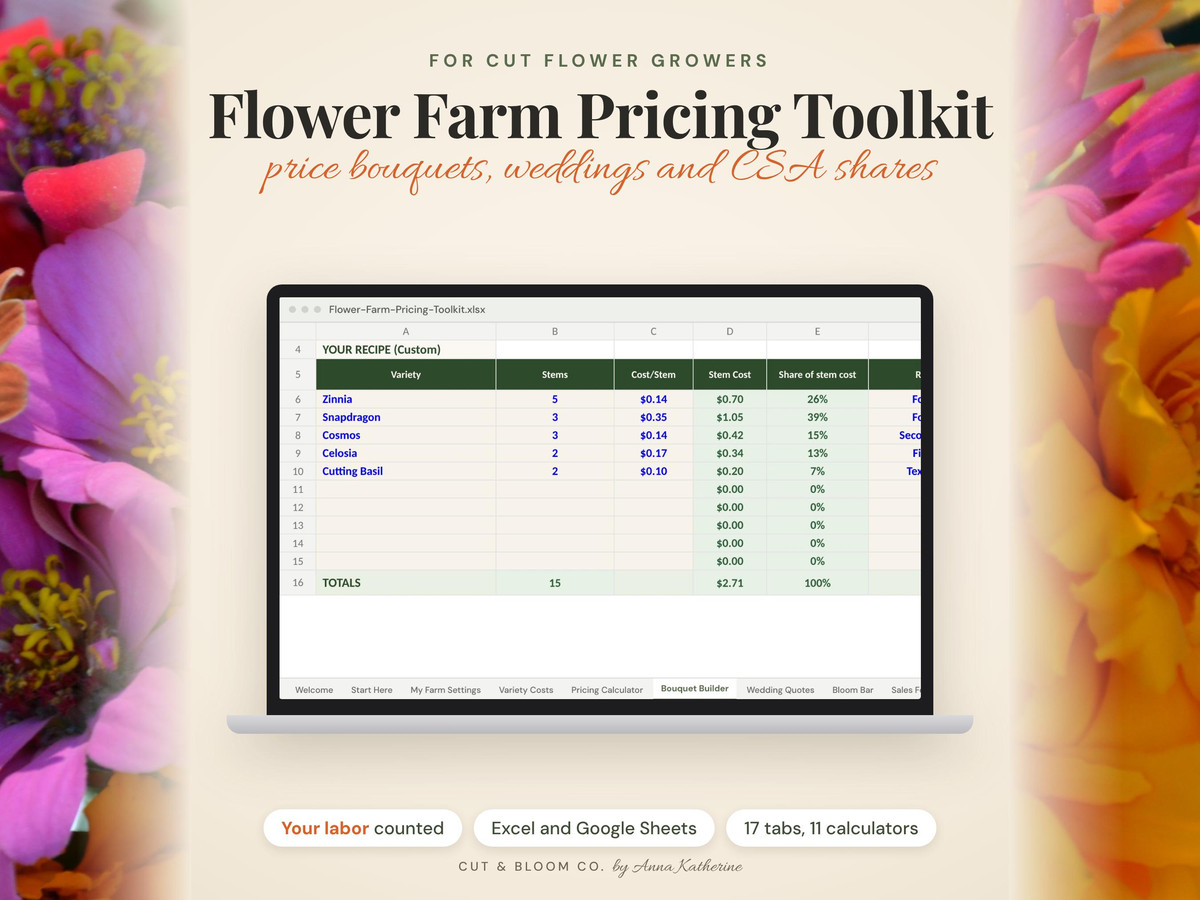
This page compares those three methods for cut-flower growers who sell market bouquets. It is written by Cut & Bloom Co., which sells a $7 browser Bouquet & Market Pricing Calculator and a $27 Flower Farm Pricing Toolkit spreadsheet. The comparison is meant to be fair: a free spreadsheet you build yourself is a genuine option, and pricing by hand is enough for some growers.
The information that is not on other comparison pages is a single worked example, using the calculator’s own default recipe, run through all three methods. Those defaults are labeled as an example below. They are not a recommended stem cost, and they are not a claim about what bouquets sell for in any market.
Quick comparison
Pricing by hand (guessing or matching the booth next door)
A spreadsheet (a free sheet you build, or a paid toolkit)
Cut & Bloom Co. bouquet pricing calculator
Cost to use
Free
Free if you build it. The Flower Farm Pricing Toolkit is $27.
$7. The same calculator is included inside the $27 toolkit and the $44 Complete Flower Farm Pricing Bundle.
What you type
A price that feels right, or a rule of thumb
Whatever formulas you set (or the toolkit’s cream input cells)
Stems, cost per stem, supplies, minutes, hourly rate, and what you charge now
What you get
One number
The price your formulas produce. A simple cost times 2 sheet gives one number. The toolkit also applies a local price floor by bouquet size.
Three prices from your true cost: Starter (cost x 1.5), Sweet spot (cost x 2.0, labeled recommended), and Premium (cost x 2.5), each rounded to the nearest dollar, plus a verdict against your current price
Labor
Easy to skip
Included only if you add it
Required inputs: harvest, condition, arrange, and sell minutes, plus an hourly rate
Local market floor
Only if you remember to check nearby prices
Only if you add one. The toolkit includes default rural and urban floors you can edit.
No floor. The three prices are markups on true cost only.
Best for
A few familiar bouquets, when you already know your costs and your market
Growers who like Excel or Google Sheets, want to keep a file, or (with a fuller sheet) also price CSA shares, weddings, or florist orders
Growers who want three prices in about a minute, on a phone or laptop, without building a sheet
Watch-outs
You can copy another grower’s underpricing, or forget labor and overhead
A thin sheet that only marks up flower cost can underprice just like a guess. You have to maintain the formulas.
It prices bouquets and market bunches, not a full season plan. A blended cost per stem needs care if hero stems cost much more than filler.
Prices above are current on the Cut & Bloom Co. site as of November 27, 2026 (example outputs were checked November 20, 2026). The calculator and the toolkit are listed at their regular prices ($7 and $27). The bundle is $44 on this site, or $58 if you bought the parts separately. Purchases have a 14-day refund: reply to your purchase email within 14 days.
The example recipe (labeled clearly)
Every number in the worked example comes from the default inputs in the $7 Bouquet & Market Pricing Calculator (the same defaults appear in the product preview). The $27 toolkit uses the same default hourly rate ($25), supplies per bouquet ($0.75), and bouquet labor minutes (3, 3, 4, and 2). Its default cost per stem is not $0.35; that difference is explained after the three methods, and it is not what creates the $25 quote.
This is an example recipe, not a farm’s actual costs, and not a price list. The $0.35 figure is a blended cost per stem for the example, not a variety-by-variety cost, and not a claim about what any flower “should” cost.
Input
Example value
Where it comes from
Stems per bouquet
15
Calculator default. In the toolkit Bouquet Builder recipe library, 15 stems is a Generous Take-Home bouquet.
Cost per stem
$0.35 (blended, example)
Calculator default
Flower cost
15 x $0.35 = $5.25
Calculated
Supplies (sleeve, wrap, band, food, label)
$0.75
Calculator default, and the toolkit’s default supplies cell
Calculator default, and the toolkit’s default hourly rate
Labor
12 / 60 x $25 = $5.00
Calculated
True cost to make the bouquet
$5.25 + $0.75 + $5.00 = $11.00
Stems + supplies + labor
“What you charge now” (for the calculator verdict only)
$18
Calculator default, used only to show the tool’s verdict, not as a survey of growers
If your stems, wages, or minutes are different, every output below will change. That is the point of running the math on your own numbers.
The same recipe, three ways
1. Pricing by hand
Two common hand methods land on the same $18 in this example.
Match a number that feels like a standard market bouquet. The calculator’s own default for “what you charge now” is $18. If you looked at other booths, or at a grocery bunch, and picked a price in that neighborhood, $18 is the number the tool uses to demonstrate a current price.
Mark up materials and forget labor. Flower cost plus supplies is $6.00. A 3x materials markup, with no labor line, is $18.00. A 3x markup on materials is the top of the 2 to 3x range used for market bouquets in the formula on How to Price a Bouquet, and that formula adds labor as a separate step. If you grew the flowers and skip the 12 minutes, the $5 of labor is still real. It just is not in the price.
At $18, with a true cost of $11, the calculator’s margin math is ($18 – $11) / $18, which is 39% of the selling price. The tool’s verdict for this default is Side income: you are above the Starter price of $17, but below the recommended Sweet spot of $22.
Pricing by hand is still a fair choice when you sell only a few familiar bunches, you already know your cost and your local floor, and you are not expanding into new sizes or channels. It is a weak choice when the price is copied from the booth next door without a cost check.
The toolkit’s Pricing Calculator tab also flags a different hand shortcut, the seed-only 10x rule, as a gut check rather than a price. Using that tab’s own example zinnia packet (a $4.50 packet, 50 seeds, 75% germination, 12 stems per plant) produces a seed cost of $0.01 per stem and a 10x check of $0.10 per stem, or $1.50 for 15 stems. That is not the same cost basis as the $0.35 blended example above, and it is not a usable bouquet price. It is included here only to show why a seed-only rule understates the floor.
2. A spreadsheet
A straightforward cost-plus spreadsheet, using the same $11 true cost and a 2x markup (the toolkit’s default markup on true bouquet cost), gives:
$11.00 x 2 = $22.00
That is a solid, defensible sheet. If you already live in Excel or Google Sheets, you can build this in an afternoon, keep it, and change the markup when you want to. For a grower who prices a handful of bouquet sizes and is willing to maintain the file, a free spreadsheet is genuinely enough. You do not need to buy a tool to multiply cost by 2.
What a simple sheet will not do, unless you add it, is stop you from going below a typical local price for that bouquet size. In this example the cost-based price is $22, which may be fine, or it may sit under what a 15-stem bouquet usually sells for in your market.
The $27 Flower Farm Pricing Toolkit is a spreadsheet, so it belongs in this column, but it is not the same as a one-formula sheet. On the Pricing Calculator tab, YOUR PRICE is the greater of (true cost times your markup) and a local price floor by stem count, then rounded up to the next whole dollar. With the default Rural / small town setting, a 15-stem bouquet uses the Generous / take-home floor of $25 (the floor for bouquets up to 18 stems). If this example’s $0.35 cost per stem is also used in the toolkit, the lines are:
Cost-based price (true cost x the default 2x markup): $11 x 2 = $22
Default rural floor for this size: $25
YOUR PRICE: $25
The $25 is that floor, not a different labor or supply assumption. If you switched the market setting to Urban / premium, the default floor for this size is $35, and YOUR PRICE would follow that floor instead. Those floors are starting points in the file, meant to be edited after you walk your own market. They are not a promise of what your customers will pay.
That floor is the reason the toolkit’s quoted price can disagree with a cost-only calculator on the same recipe. It is a feature if you want a local check built in. It is unnecessary if you already know your market and only want the cost math.
3. The flower pricing calculator
The $7 Bouquet & Market Pricing Calculator runs in the browser after purchase. For this example it uses the unrounded true cost of $11.00 and these exact formulas:
Starter = Math.round(cost x 1.5) = Math.round($16.50) = $17
Sweet spot = Math.round(cost x 2.0) = $22 (labeled recommended)
Premium = Math.round(cost x 2.5) = Math.round($27.50) = $28
The displayed true cost is also rounded to the nearest dollar, which is $11 in this example.
If you leave “what you charge now” at the default $18, the verdict is Side income, because $18 is at or above Starter ($17) and below Sweet spot ($22). The on-screen line is that at $18 your margin is 39%, and the sweet spot at $22 pays you properly. Those are the tool’s own labels and math, not a projection of your income.
The Sweet spot matches the simple 2x spreadsheet because both use a 2x markup on the same $11 cost, and $22 is already a whole dollar. The calculator does not apply a local floor, so it will not raise this example to $25 the way the toolkit’s default rural generous floor does. If you want that check, either walk your market and compare, or use a spreadsheet (including the toolkit) that has a floor.
The calculator also lets you save named recipes in that browser, which a paper guess does not. It does not replace a full-season sheet: it is built to price bouquets and market bunches.
Why $17, $22, and $25 are not a contradiction
A grower looking at Starter $17, Sweet spot $22, and the toolkit’s $25 will ask which one is right. They are answering different questions, and the gap is not a hidden extra cost in one tool.
Labor, supplies, wage, and stem count already match. Both tools default to 15 stems, $0.75 in supplies, 12 minutes of bouquet work, and $25 an hour. The toolkit’s sales-channel table (what each channel typically pays as a share of retail) does not change YOUR PRICE. The market setting only chooses which floor column to use, Rural / small town or Urban / premium.
The bouquet cost formula is the same shape in both: stems times cost per stem, plus supplies, plus minutes times the hourly rate. If cost per stem is set to this example’s $0.35 in both, true cost is $11 in both, and the toolkit’s cost-based price (true cost x the default 2x markup) is $22, which matches the calculator’s Sweet spot. I verified that arithmetic from the real formulas. The final quoted prices still do not match, because the calculator then also shows 1.5x and 2.5x tiers and does not apply a floor, while the toolkit’s YOUR PRICE is ROUNDUP(MAX(cost-based price, local floor), 0). Here the $25 floor is higher than $22, so the toolkit quotes $25.
So:
$17 is the calculator’s Starter price (cost x 1.5, rounded to the nearest dollar). It is a lower cost-based tier, not a market floor, and not the recommended price.
$22 is the shared 2x cost-based price: the calculator’s recommended Sweet spot, and the toolkit’s cost-based line when stem cost is $0.35.
$25 is the toolkit’s default local floor for a generous 15-stem bouquet in the Rural / small town setting. It is not a third markup, and it is not extra labor, supplies, or channel fees piled onto the $11 cost.
Which number you use depends on the job you want the tool to do. Use $22 if you want a 2x cost-based price for this recipe. Use $25 if you also want a typical-size local floor, then edit that floor after you walk your own market. $17 is only the calculator’s lower bound, and it sits below both.
One related fact, so the defaults are not confused with the matched-input example: when you first open the toolkit, grow cost per stem is a locked formula from the Break-Even by Crop tab, not the calculator’s typed $0.35 default. With the file’s example break-even numbers, that cell is $0.161 per stem, true cost is $8.17, and the 2x cost-based price is $16.34. YOUR PRICE is still $25, because the same $25 floor is higher than $16.34 too. That is why opening both tools side by side can show different cost-per-stem figures, and why that difference still does not explain the $25 quote.
The two tools also round slightly differently (the calculator rounds each tier to the nearest dollar; the toolkit rounds the final price up to the next whole dollar). On this $0.35 recipe, 2x cost is already a whole $22, so rounding is not what creates the $22 vs $25 gap.
Who each option fits
Price by hand if you sell a short list of bouquets, you already trust your cost and your local prices, and you are not quoting new work (larger bunches, weddings, subscriptions) from a gut number. Revisit the number if your stem mix or wage changes.
Build a free spreadsheet if you like Sheets or Excel, you want one file you control, and you will actually keep the formulas honest (labor, supplies, and a market check, not just seed cost). This is a complete solution for many small growers.
Use the $7 calculator if you want three prices, including a recommended Sweet spot, in about a minute without building a sheet, and you are mainly pricing bouquets and market bunches. It is also the lower-cost way to see how Cut & Bloom Co. does the bouquet math before you decide whether you need the full toolkit.
Use the $27 toolkit if you want the bouquet math plus connected tabs for variety costs, wedding quotes, Bloom Bar packages, florist and wholesale pricing, CSA setup, and a season forecast, including that optional local price floor. The $7 calculator is included inside it, so you do not pay for the calculator twice. If you also want the Florist and Wholesale Sales Kit and the Flower CSA Launch Kit, the Complete Flower Farm Pricing Bundle is $44 on this site as of November 27, 2026 ($58 if those parts are bought separately).
If the Sweet spot or the toolkit floor is higher than what your market is paying, that is useful information. You can build a smaller recipe, use fewer expensive stems, or raise your price on purpose. What this example argues against is only this: charging $18 on an $11 true cost and assuming the 2x math has already been done.
There is also a free bouquet pricing calculator on the blog. That page is a separate teaching tool. The Starter, Sweet spot, and Premium figures in this article come from the $7 Bouquet & Market Pricing Calculator, which marks up true cost (stems, supplies, and labor) rather than marking up materials and then adding labor as a second step.
If you want a private check of five underpricing habits before you buy anything, use the free Flower Pricing Reality Check. No email needed to see your score.
FAQ
Is a free spreadsheet enough to price bouquets?
Yes, for many growers. If your sheet includes stems, supplies, and labor, and you compare the result with what similar bouquets sell for nearby, you do not have to buy a calculator. Buy a tool only if you want the three-tier output, a faster browser workflow, or (in the toolkit) the extra tabs and the built-in local floor.
Why does the calculator’s Sweet spot match a 2x spreadsheet in this example?
Both use a 2x markup on the same $11 true cost, and $22 is already a whole dollar, so rounding does not change it. The two methods diverge when you change the markup, when rounding kicks in, or when a spreadsheet (including the toolkit) also applies a local price floor.
Why is the toolkit’s price $25 when the calculator’s Sweet spot is $22?
They are not two different cost calculations for this recipe. If both tools use the example $0.35 cost per stem, plus the same supplies, minutes, and wage, true cost is $11 and the 2x cost-based price is $22 in both (that $22 is the Sweet spot). The toolkit’s YOUR PRICE then becomes $25 because its default rural floor for a generous 15-stem bouquet is $25, and the quote is the higher of the cost-based price and that floor. The calculator has no floor, so it leaves the Sweet spot at $22 and also shows Starter $17 and Premium $28. Opening the toolkit as-is uses a different default cost per stem from the Break-Even tab (about $0.161), but the quoted price is still $25 because that floor still binds. You can edit the floors after you check your own market.
Can I just use a florist markup formula?
Florists who buy in stems often mark them up, then add hard goods and a labor percentage. That can be a useful reference if you buy stems in. If you grew the flowers, start from your true cost per stem (not a wholesale invoice alone), include your minutes, and then compare with your market. A florist formula that skips grower labor will not tell you whether $18 covers a 15-stem bouquet that cost $11 to make.
What if $22 or $25 feels too high for my market?
Treat it as a signal, not a demand. Count the stems in what is actually selling near you, compare price per stem (not just the wrap price), and either change the recipe or change the price with your eyes open. Grocery bunches are often a low-end comparison, not the target for a 15-stem mixed farm bouquet.
Is the calculator a download?
No. After checkout you get a link in your order receipt. It opens in a browser on a phone or computer. The toolkit is an Excel file that also works in Google Sheets.
What if it is not for me?
Reply to your purchase email within 14 days and Cut & Bloom Co. will refund you. That applies to the calculator and the toolkit. These are not final-sale products.
The Edit by AK
One short email a week with finds I’ve actually vetted, plus a free Black Friday Shortlist when you sign up.
window.fluent_form_ff_form_instance_6_1 = {"id":"6","ajaxUrl":"https:\/\/annakatherinepage.com\/wp-admin\/admin-ajax.php","settings":{"layout":{"labelPlacement":"top","asteriskPlacement":"asterisk-right","helpMessagePlacement":"with_label","errorMessagePlacement":"inline","cssClassName":""},"restrictions":{"denyEmptySubmission":{"enabled":false}}},"form_instance":"ff_form_instance_6_1","form_id_selector":"fluentform_6","rules":{"input_text":{"required":{"value":false,"message":"This field is required","global_message":"This field is required","global":true}},"email":{"required":{"value":true,"message":"This field is required","global_message":"This field is required","global":true},"email":{"value":true,"message":"This field must contain a valid email","global_message":"This field must contain a valid email","global":true}},"checkbox":{"required":{"value":true,"message":"This field is required","global_message":"This field is required","global":true},"max_selection":{"value":"","message":"You have selected more options than allowed","global_message":"You have selected more options than allowed","global":true},"min_selection":{"value":"","message":"Please select at least the minimum number of options","global_message":"Please select at least the minimum number of options","global":true}}},"debounce_time":300,"file_upload_settings":[]};
(function(){
if (!window.matchMedia || !window.matchMedia('(max-width: 781px)').matches) return;
var aff = /go\.shopmy\.us|amzn\.to|amazon\.com\/.*tag=|walmrt\.us|pxf\.io|shareasale|awin1|anrdoezrs|dpbolvw|jdoqocy|tkqlhce|kqzyfj|sjv\.io|linksynergy/i;
var root = document.querySelector('.wp-block-post-content') || document.querySelector('.entry-content');
if (!root) return;
var btns = root.querySelectorAll('a.wp-block-button__link');
var first = null;
for (var i = 0; i < btns.length; i++) { if (aff.test(btns[i].href)) { first = btns[i]; break; } }
if (!first) return;
var name = '';
var p = root.querySelector('p');
if (p) { var l = p.querySelector('a'); if (l && l.href === first.href) name = l.textContent; }
if (!name) name = first.textContent;
var bar = document.createElement('div');
bar.className = 'ak-sticky-buy';
bar.setAttribute('role', 'region');
bar.setAttribute('aria-label', 'Top pick');
var span = document.createElement('span'); span.className = 'ak-sb-name'; span.textContent = 'Top pick: ' + name.trim();
var a = document.createElement('a'); a.href = first.href; a.target = '_blank'; a.rel = 'nofollow sponsored noopener'; a.textContent = 'Shop now';
var x = document.createElement('button'); x.type = 'button'; x.setAttribute('aria-label', 'Close'); x.textContent = '×';
bar.appendChild(span); bar.appendChild(a); bar.appendChild(x);
document.body.appendChild(bar);
var closed = false;
x.addEventListener('click', function(){ closed = true; bar.classList.remove('is-on'); });
function check(){
if (closed) return;
var r = first.getBoundingClientRect();
var footer = document.querySelector('footer');
var nearEnd = footer && footer.getBoundingClientRect().top < window.innerHeight;
if (r.bottom < 0 && !nearEnd) bar.classList.add('is-on'); else bar.classList.remove('is-on');
}
window.addEventListener('scroll', check, { passive: true });
check();
})();
(function () {
var c = document.body.className;
c = c.replace(/woocommerce-no-js/, 'woocommerce-js');
document.body.className = c;
})();
var fluentFormVars = {"ajaxUrl":"https://annakatherinepage.com/wp-admin/admin-ajax.php","forms":[],"step_text":"Step %activeStep% of %totalStep% - %stepTitle%","step_completed_text":"Completed","is_rtl":"","date_i18n":{"previousMonth":"Previous Month","nextMonth":"Next Month","months":{"shorthand":["Jan","Feb","Mar","Apr","May","Jun","Jul","Aug","Sep","Oct","Nov","Dec"],"longhand":["January","February","March","April","May","June","July","August","September","October","November","December"]},"weekdays":{"longhand":["Sunday","Monday","Tuesday","Wednesday","Thursday","Friday","Saturday"],"shorthand":["Sun","Mon","Tue","Wed","Thu","Fri","Sat"]},"daysInMonth":[31,28,31,30,31,30,31,31,30,31,30,31],"rangeSeparator":" to ","weekAbbreviation":"Wk","scrollTitle":"Scroll to increment","toggleTitle":"Click to toggle","amPM":["AM","PM"],"yearAriaLabel":"Year","firstDayOfWeek":1},"pro_version":"","fluentform_version":"6.2.17","force_init":"","stepAnimationDuration":"350","upload_completed_txt":"100% Completed","upload_start_txt":"0% Completed","uploading_txt":"Uploading","choice_js_vars":{"noResultsText":"No results found","loadingText":"Loading...","noChoicesText":"No choices to choose from","itemSelectText":"Press to select","maxItemTextSingular":"Only %%maxItemCount%% option can be added","maxItemTextPlural":"Only %%maxItemCount%% options can be added"},"input_mask_vars":{"clearIfNotMatch":false},"nonce":"cc1effca57","file_delete_nonce":"7587ceb9c7","form_id":"6","step_change_focus":"1","has_cleantalk":"","pro_payment_script_compatible":"","token_nonce":"621c0a7984"};
var fluentform_submission_messages_6 = {"file_upload_in_progress":"File upload in progress. Please wait...","javascript_handler_failed":"Javascript handler could not be loaded. Form submission has been failed. Reload the page and try again"};
var fluentform_payment_messages_6 = {"stock_out_message":"This Item is Stock Out","item_label":"Item","price_label":"Price","qty_label":"Qty","line_total_label":"Line Total","sub_total_label":"Sub Total","discount_label":"Discount","total_label":"Total","signup_fee_label":"Signup Fee","trial_label":"Trial","processing_text":"Processing...","confirming_text":"Confirming..."};
var fluentform_save_progress_messages_6 = {"copy_button":"Copy","email_button":"Email","email_placeholder":"Your Email Here","copy_success":"Copied"};
var fluentform_address_messages_6 = {"please_wait":"Please wait ...","location_not_determined":"Could not determine address from location.","address_fetch_failed":"Failed to fetch address from coordinates.","geolocation_failed":"Geolocation failed or was denied.","geolocation_not_supported":"Geolocation is not supported by this browser."};
var fluentform_gateway_messages_6 = {"request_failed":"Request failed. Please try again","payment_failed":"Payment process failed!","no_method_found":"No method found","processing_text":"Processing..."};
var fluentform_submission_messages_global = {"javascript_handler_failed":"Javascript handler could not be loaded. Form submission has been failed. Reload the page and try again"};
var fluentform_address_messages_global = {"please_wait":"Please wait ...","location_not_determined":"Could not determine address from location.","address_fetch_failed":"Failed to fetch address from coordinates.","geolocation_failed":"Geolocation failed or was denied.","geolocation_not_supported":"Geolocation is not supported by this browser."};
//# sourceURL=fluent-form-submission-js-extra
(function(){
var d = document.querySelector('.ak-ux-checked');
var h1 = document.querySelector('h1.wp-block-post-title');
if (d && h1 && !(h1.nextElementSibling && h1.nextElementSibling.classList.contains('ak-ux-checked'))) {
h1.insertAdjacentElement('afterend', d);
}
/* Table typography helpers: short mobile headers, rank badges, brand under the name */
(function(){
var shortMap = {
'listed value': 'Value',
'below value': 'Save',
'price at ulta': 'Price',
'price at sephora': 'Price',
'best gift for someone who wants': 'Best for',
'what is inside': 'Inside',
'what it is': 'What',
'where to buy': 'Shop',
'fiber, as the brand states it': 'Fiber'
};
document.querySelectorAll('figure.ak-quick-picks th').forEach(function(th){
if (th.querySelector('.ak-th-short, .ak-th-full')) return;
var full = (th.textContent || '').replace(/\s+/g, ' ').trim();
if (!full) return;
var key = full.toLowerCase();
var short = shortMap[key];
if (!short && /^listed value/.test(key)) short = 'Value';
if (!short && /^below value/.test(key)) short = 'Save';
if (!short && /^price\b/.test(key) && key !== 'price') short = 'Price';
if (short && short.toLowerCase() !== key) {
th.textContent = '';
var fullEl = document.createElement('span');
fullEl.className = 'ak-th-full';
fullEl.textContent = full;
var shortEl = document.createElement('span');
shortEl.className = 'ak-th-short';
shortEl.textContent = short;
th.appendChild(fullEl);
th.appendChild(shortEl);
}
});
document.querySelectorAll('figure.ak-quick-picks td > span').forEach(function(sp){
var st = sp.getAttribute('style') || '';
if (/border-radius\s*:\s*50%/.test(st)) sp.classList.add('ak-rank-badge');
});
document.querySelectorAll('figure.ak-quick-picks td').forEach(function(td){
var item = td.querySelector(':scope > .ak-qp-item');
if (!item) return;
var text = item.querySelector('.ak-qp-text');
if (!text) return;
Array.prototype.slice.call(td.children).forEach(function(child){
if (child !== item && child.tagName === 'DIV') {
child.classList.add('ak-qp-brand');
text.appendChild(child);
}
});
});
})();
var start = document.getElementById('ak-start-here');
if (!start) return;
if (!window.matchMedia || !window.matchMedia('(max-width: 781px)').matches) return;
if (document.getElementById('ak-ux-sticky')) return;
var shop = start.querySelector('a.ak-shop-btn') || document.querySelector('a.ak-shop-btn');
if (!shop) return;
var nameEl = start.querySelector('h2');
var priceEl = start.querySelector('.ak-start-price');
var label = 'Top pick';
if (nameEl) label += ': ' + nameEl.textContent.trim();
if (priceEl) {
var amt = (priceEl.textContent || '').replace(/\s+/g, ' ').trim().split('checked')[0].trim();
if (amt) label += ' · ' + amt;
}
var bar = document.createElement('div');
bar.id = 'ak-ux-sticky';
bar.setAttribute('role', 'region');
bar.setAttribute('aria-label', 'Top pick');
var span = document.createElement('span'); span.className = 'ak-sb-name'; span.textContent = label;
var a = document.createElement('a');
a.href = shop.href; a.target = '_blank'; a.rel = 'nofollow sponsored noopener'; a.textContent = 'Shop now';
var x = document.createElement('button'); x.type = 'button'; x.setAttribute('aria-label', 'Close'); x.textContent = '×';
bar.appendChild(span); bar.appendChild(a); bar.appendChild(x);
document.body.appendChild(bar);
var closed = false;
x.addEventListener('click', function(){ closed = true; bar.classList.remove('is-on'); });
function check(){
if (closed) return;
if (window.innerWidth >= 782) { bar.classList.remove('is-on'); return; }
var r = start.getBoundingClientRect();
var footer = document.querySelector('footer');
var nearEnd = footer && footer.getBoundingClientRect().top < window.innerHeight;
if (r.bottom < 8 && !nearEnd) bar.classList.add('is-on');
else bar.classList.remove('is-on');
}
window.addEventListener('scroll', check, {passive:true});
window.addEventListener('resize', check);
check();
})();
(function(){
var AJAX="https:\/\/annakatherinepage.com\/wp-admin\/admin-ajax.php",LOAD=Date.now(),freshP=null;
function post(d){return fetch(AJAX+"?t="+Date.now(),{method:"POST",credentials:"same-origin",cache:"no-store",headers:{"Content-Type":"application/x-www-form-urlencoded"},body:new URLSearchParams(d).toString()}).then(function(r){return r.json();});}
function getFresh(){if(freshP){return freshP;}freshP=post({action:"akp_ffc_fresh_nonce"}).then(function(j){if(j&&j.success&&j.data){if(window.fluentFormVars){window.fluentFormVars.token_nonce=j.data.token_nonce;}var ns=document.querySelectorAll('input[name$="_fluentformnonce"]');for(var i=0;i<ns.length;i++){ns[i].value=j.data.form_nonce;}return j.data;}freshP=null;return null;}).catch(function(){freshP=null;return null;});return freshP;}
function fid(f){var m=(f.className||"").match(/fluent_form_(\d+)/);return m?m[1]:(f.getAttribute("data-form_id")||"");}
function fld(f){return f.querySelector(".fluent-form-token-field");}
function stale(f){var t=fld(f);if(!t){return false;}return !t.value||(Date.now()-(f.__akpAt||LOAD))>45*60*1000;}
function mint(f){if(f.__akpP){return f.__akpP;}var t=fld(f);if(!t){return Promise.resolve(true);}
f.__akpP=getFresh().then(function(fr){var n=(fr&&fr.token_nonce)||(window.fluentFormVars&&window.fluentFormVars.token_nonce)||"";return post({action:"fluentform_generate_protection_token",form_id:fid(f),nonce:n});}).then(function(j){f.__akpP=null;if(j&&j.success&&j.data&&j.data.token){t.value=j.data.token;f.classList.add("ff_tokenized");f.classList.remove("ff_tokenizing");f.__akpAt=Date.now();return true;}return false;}).catch(function(){f.__akpP=null;return false;});return f.__akpP;}
function init(){var fs=document.querySelectorAll("form.frm-fluent-form");if(!fs.length){return;}var any=false;for(var i=0;i<fs.length;i++){if(fld(fs[i])){any=true;}}if(!any){return;}getFresh();
if("IntersectionObserver" in window){var io=new IntersectionObserver(function(es){es.forEach(function(e){if(e.isIntersecting&&stale(e.target)){mint(e.target);}});},{rootMargin:"900px 0px"});for(var k=0;k<fs.length;k++){if(fld(fs[k])){io.observe(fs[k]);}}}
document.addEventListener("focusin",function(e){var f=e.target&&e.target.closest&&e.target.closest("form.frm-fluent-form");if(f&&stale(f)){mint(f);}},true);
document.addEventListener("submit",function(e){var f=e.target;if(!f||!f.classList||!f.classList.contains("frm-fluent-form")){return;}if(f.__akpPass){f.__akpPass=false;return;}if(!stale(f)){return;}e.preventDefault();e.stopImmediatePropagation();
mint(f).then(function(){f.__akpPass=true;window.ff_sumitting_form=false;if(f.requestSubmit){var b=f.querySelector("[type=submit]");try{b?f.requestSubmit(b):f.requestSubmit();}catch(x){if(window.jQuery){window.jQuery(f).trigger("submit");}}}else if(window.jQuery){window.jQuery(f).trigger("submit");}});},true);}
var CS_PDF="https://annakatherinepage.com/wp-content/uploads/2026/11/flower-price-cheat-sheet.pdf";
var CS_MSG='<p>Your Flower Price Cheat Sheet is ready. <a href="'+CS_PDF+'">Download the two-page PDF</a> now.</p><p>A copy is on its way to your inbox too. Give it a minute, and peek in spam the first time so the next one lands in your inbox.</p>';
function fixCS(){var ms=document.querySelectorAll(".fluentform_wrapper_5 .ff-message-success");for(var i=0;i<ms.length;i++){if(!ms[i].__akpCS&&(ms[i].textContent||"").indexOf("Download the two-page PDF")===-1){ms[i].__akpCS=1;ms[i].innerHTML=CS_MSG;}}}
function initCS(){if(!document.querySelector("form.fluent_form_5")){return;}try{new MutationObserver(fixCS).observe(document.body,{childList:true,subtree:true});}catch(x){}document.addEventListener("fluentform_submission_success",function(){setTimeout(fixCS,50);setTimeout(fixCS,600);});}
function boot(){init();initCS();}
if(document.readyState==="loading"){document.addEventListener("DOMContentLoaded",boot);}else{boot();}
})();
(function () {
var LABEL = "Send me the cheat sheet";
var PDF = "https://annakatherinepage.com/wp-content/uploads/2026/11/flower-price-cheat-sheet.pdf";
var CONFIRM = '<p>Your Flower Price Cheat Sheet is ready. <a href="' + PDF + '">Download the two-page PDF</a> now.</p><p>Give the email a minute, and peek in spam the first time so the next one lands in your inbox. The formulas use labeled sample numbers. Type over them with yours.</p>';
function retitle() {
var buttons = document.querySelectorAll(".fluent_form_5 .ff-btn-submit, form.fluent_form_5 .ff-btn-submit, .frm-fluent-form.fluent_form_5 .ff-btn-submit");
for (var i = 0; i < buttons.length; i++) {
var b = buttons[i];
if ((b.textContent || "").indexOf("cheat sheet") === -1) {
b.textContent = LABEL;
b.setAttribute("aria-label", LABEL);
}
b.style.backgroundColor = "#5a6b4e";
b.style.borderColor = "#5a6b4e";
b.style.color = "#ffffff";
}
var styles = document.querySelectorAll(".ff-form-inline-style style");
for (var j = 0; j < styles.length; j++) {
var s = styles[j];
if ((s.textContent || "").indexOf("fluent_form_5") !== -1 && (s.textContent || "").indexOf("#123d2e") !== -1) {
s.textContent = s.textContent.replace(/#123d2e/g, "#5a6b4e");
}
}
}
if (document.readyState === "loading") document.addEventListener("DOMContentLoaded", retitle);
else retitle();
setTimeout(retitle, 400);
function maybeFixSuccess(root) {
if (!root) return;
var success = root.querySelector(".ff-message-success, .ff-el-success, .ff-form-success");
if (!success) return;
var t = (success.textContent || "").toLowerCase();
if (t.indexOf("inbox") !== -1 || t.indexOf("cheat sheet") === -1) {
success.innerHTML = CONFIRM;
}
}
document.addEventListener("fluentform_submission_success", function () {
maybeFixSuccess(document.querySelector(".fluentform_wrapper_5, #fluentform_5, .ff_form_wrapper_5"));
});
if (window.jQuery) {
window.jQuery(document).on("fluentform_submission_success", function () {
maybeFixSuccess(document.querySelector(".fluentform_wrapper_5, #fluentform_5, .ff_form_wrapper_5"));
});
}
})();
(function(){
function fix(){
var bar=document.getElementById('ak-ux-sticky'); var start=document.getElementById('ak-start-here');
if(!bar||!start||!document.querySelector('.akf-table,.akf-chart,.akf-decide')) return !!bar;
var span=bar.querySelector('.ak-sb-name'); var h=start.querySelector('h2'); var p=start.querySelector('.ak-start-price strong');
if(span&&h){ span.textContent='Top pick: '+h.textContent.replace(/\s+/g,' ').trim()+(p?' · '+p.textContent.replace(/\s+/g,' ').trim():''); }
return true;
}
var n=0; (function tick(){ if(fix()||++n>40) return; setTimeout(tick,150); })();
window.addEventListener('resize',function(){ setTimeout(fix,50); });
})();
(function(){
function rgb(c){var m=(c||"").match(/[0-9.]+/g);return m?m.map(Number):null;}
function lum(a){return (0.299*a[0]+0.587*a[1]+0.114*a[2])/255;}
function effbg(el){var n=el;while(n){var c=rgb(getComputedStyle(n).backgroundColor);if(c&&(c.length<4||c[3]>0.5))return c;n=n.parentElement;}return null;}
var sel="main h1,main h2,main h3,main h4,main p,main li,main span,#frc h1,#frc h2,#frc h3,#frc p,#frc span,#frc li";
document.querySelectorAll(sel).forEach(function(t){
var bg=effbg(t);
if(!bg) return;
if(lum(bg)<0.30){
var fc=rgb(getComputedStyle(t).color);
if(fc && lum(fc)<0.5){ t.style.setProperty("color","#f7f1e6","important"); }
}
});
})();
(function () {
function formIdFrom(ev, data) {
var id = "";
var form = null;
if (data) {
if (data.formId != null) id = String(data.formId);
else if (data.form_id != null) id = String(data.form_id);
form = data.form;
if (form && form.jquery) form = form[0];
}
if (!form && ev && ev.detail) {
form = ev.detail.form;
if (form && form.jquery) form = form[0];
if (!id) {
if (ev.detail.formId != null) id = String(ev.detail.formId);
else if (ev.detail.form_id != null) id = String(ev.detail.form_id);
}
}
if (!form && ev && ev.target && ev.target.nodeType === 1) {
form = ev.target.closest ? (ev.target.closest("form") || ev.target.closest("[id^='fluentform_']") || ev.target.closest("[class*='fluent_form_']")) : ev.target;
}
if (!id && form) {
var src = String((form.id || "") + " " + (form.className || "") + " " + (form.getAttribute && (form.getAttribute("data-form_id") || form.getAttribute("data-id") || "") || ""));
var m = src.match(/fluentform_wrapper_(\d+)/) || src.match(/fluentform_(\d+)/) || src.match(/fluent_form_(\d+)/);
if (m) id = m[1];
}
return id;
}
function newEventId() {
try {
if (window.crypto && typeof crypto.randomUUID === "function") return crypto.randomUUID();
} catch (err) {}
return "ff5lead_" + Date.now() + "_" + Math.random().toString(16).slice(2);
}
var lockUntil = 0;
function fireLead(ev, data) {
if (formIdFrom(ev, data) !== "5") return;
if (typeof window.fbq !== "function") return;
var now = Date.now();
if (now < lockUntil) return;
lockUntil = now + 2000;
var eid = newEventId();
try {
fbq("track", "Lead", { content_name: "Flower Price Cheat Sheet" }, { eventID: eid });
} catch (err) {}
}
document.addEventListener("fluentform_submission_success", function (ev) {
fireLead(ev, ev && ev.detail);
});
if (window.jQuery) {
window.jQuery(document).on("fluentform_submission_success", function (ev, data) {
fireLead(ev, data);
});
window.jQuery(document.body).on("fluentform_submission_success", function (ev, data) {
fireLead(ev, data);
});
}
})();
Leave a Reply